
Add Trainwell Widget (iPhone)
Edited
*Note for Peloton Personal Trainer users: Please be sure to look for the "Peloton Personal Trainer" widget rather than Trainwell.
From your iPhone:
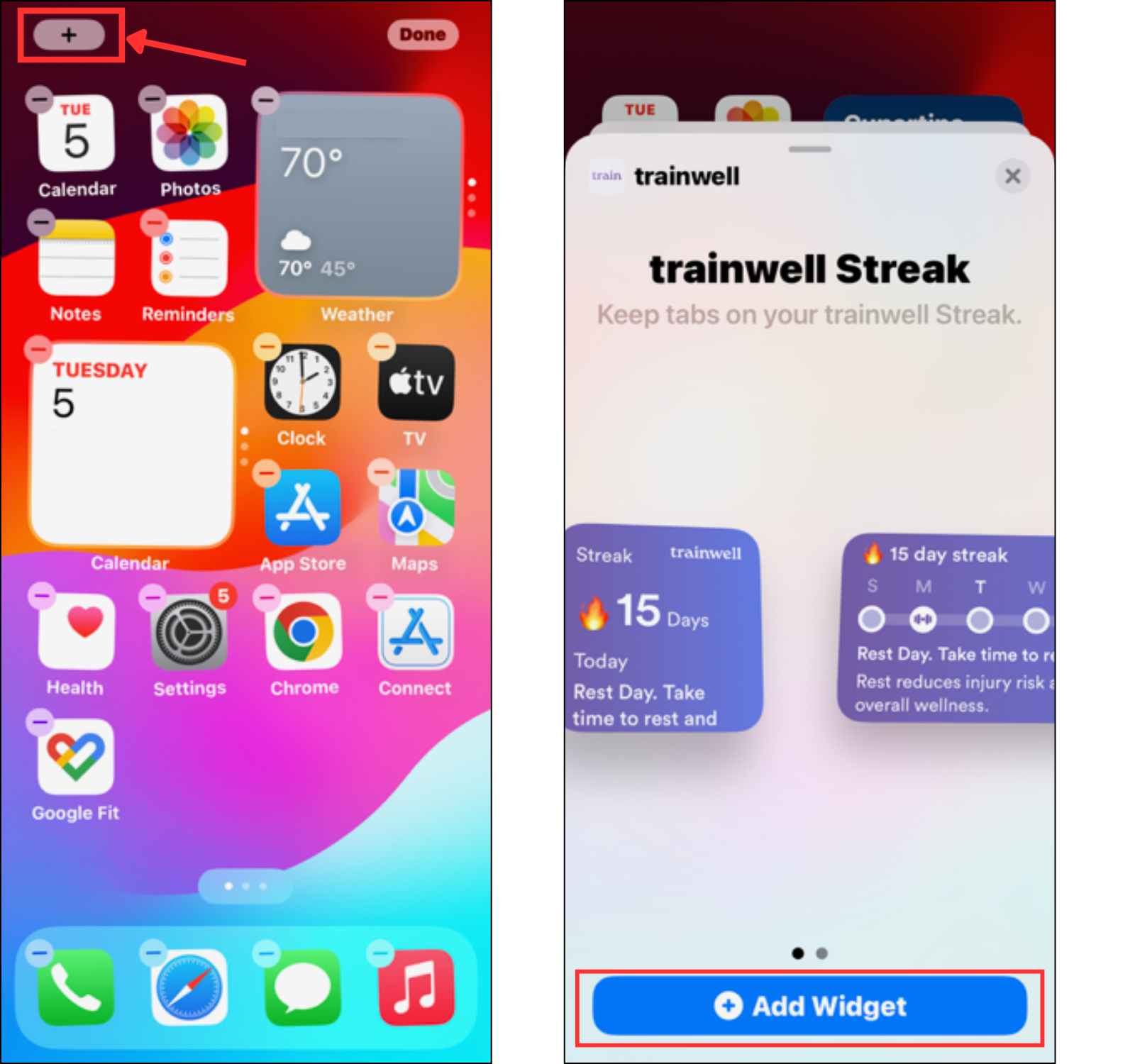
On a Home screen, touch and hold an empty space until the apps begin to wiggle
Tap the + plus sign in the upper left corner to add a new widget
Use the search bar to type "trainwell", or scroll through the app list and select trainwell to see widget options
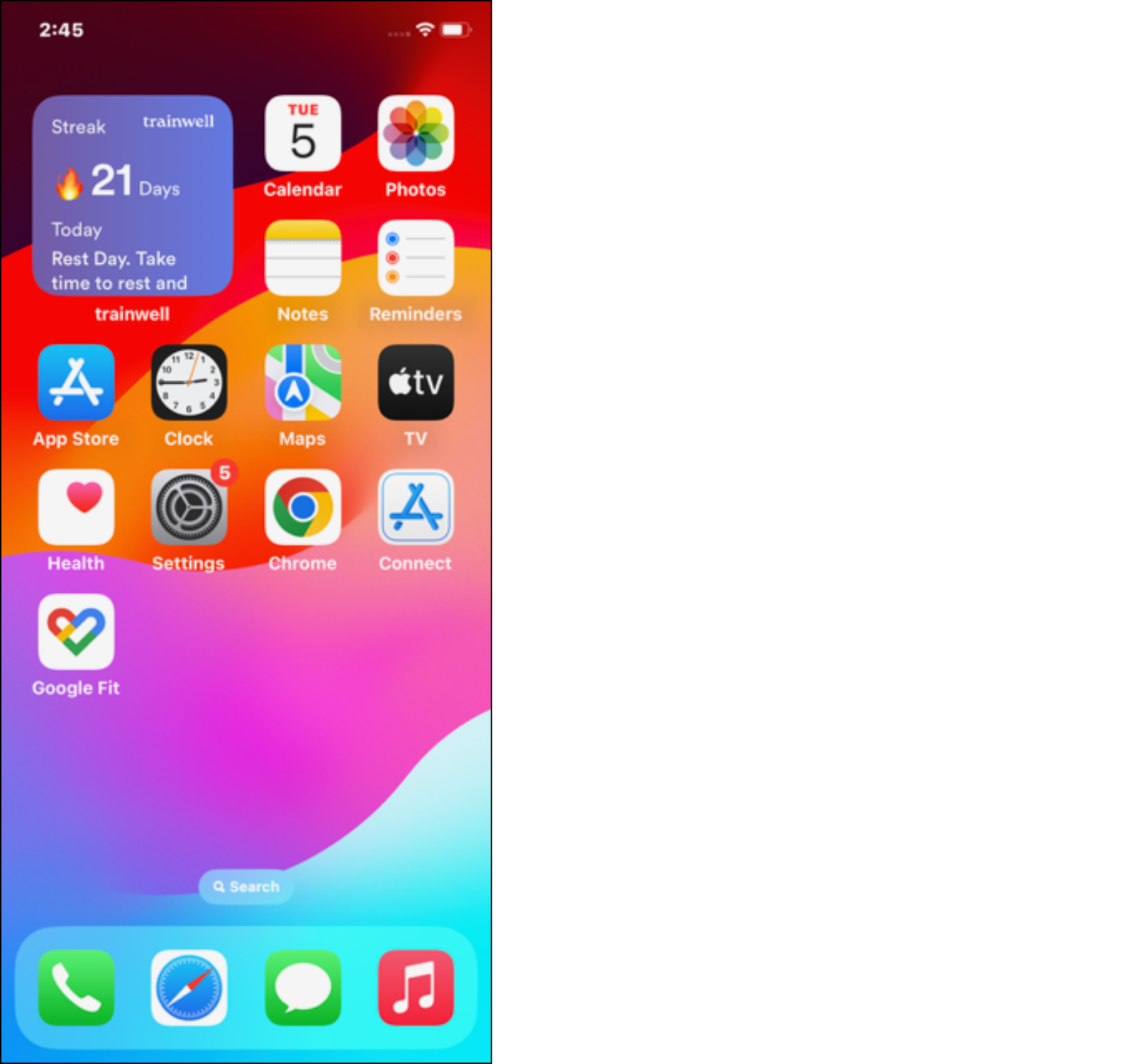
Select your preferred trainwell widget (condensed view or full view) and tap Add Widget
Was this article helpful?
Sorry about that! Care to tell us more?