
Edit Team Name or Description
Edited
If you created the group you'll automatically be designated as Admin and you can edit the team name or description at any time.
To make edits to the Team Name or Description:
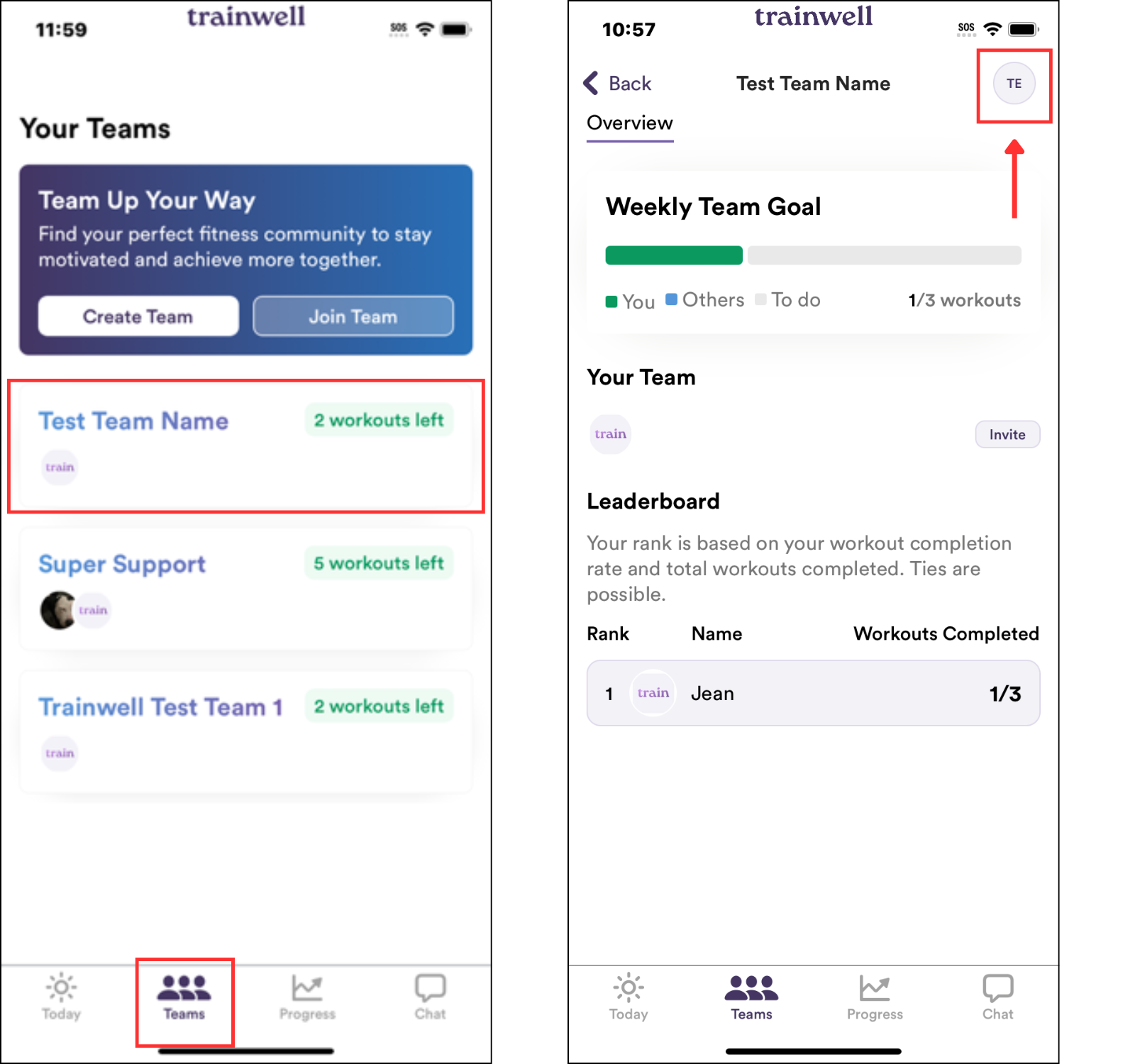
Tap on the Teams tab in the trainwell app
Select the Team you'd like to edit
Tap on the Team's profile icon in the upper right corner
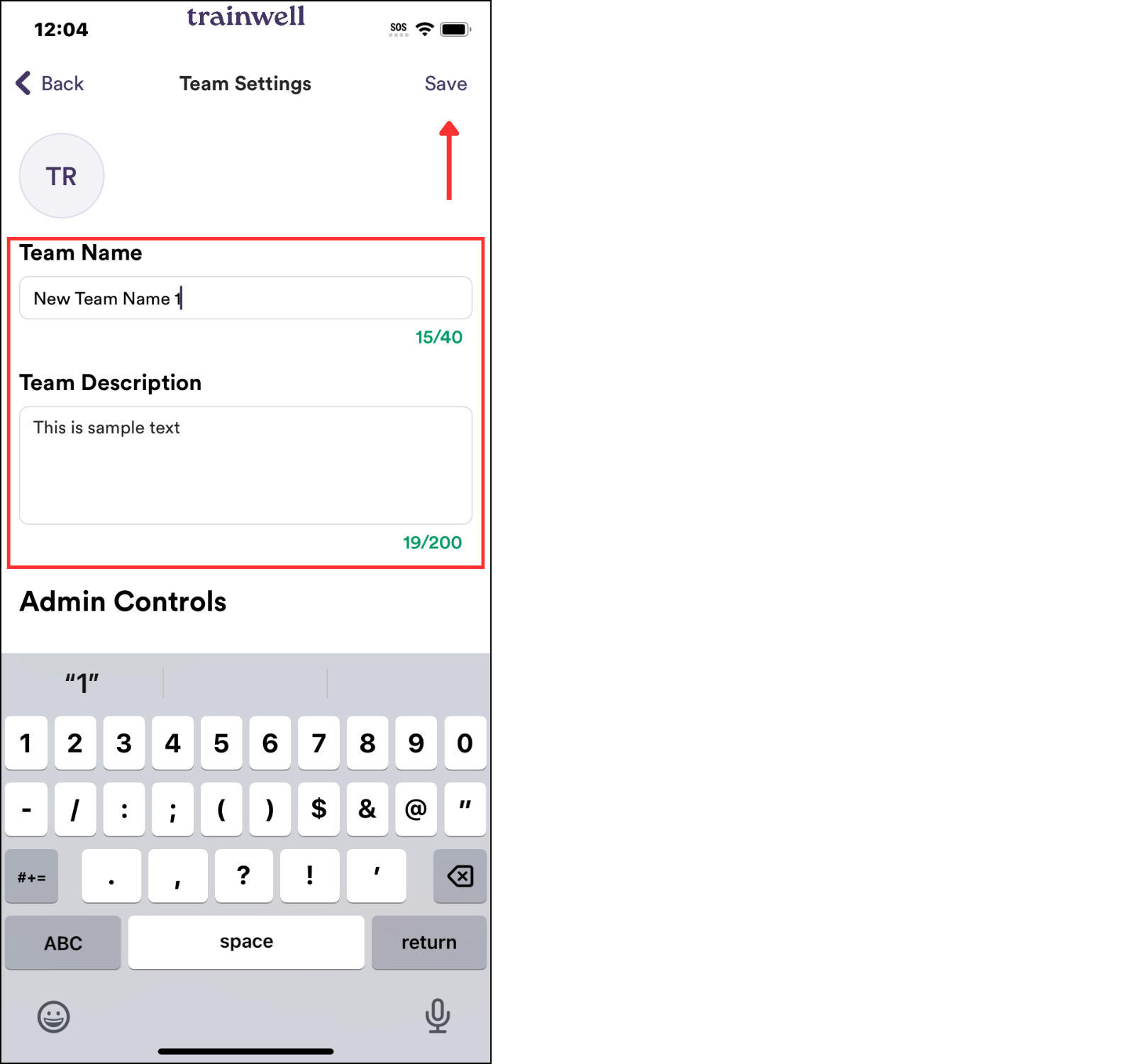
Tap on the text box under Team Name or Team Description to delete any existing text (if applicable) and enter the desired name or description
Tap Save in the upper right corner to save any edits
Was this article helpful?
Sorry about that! Care to tell us more?