
Restart Apple Watch
Edited
Important: If your Apple Watch is charging, take it off the charger first. When your watch is charging, you can’t restart it.
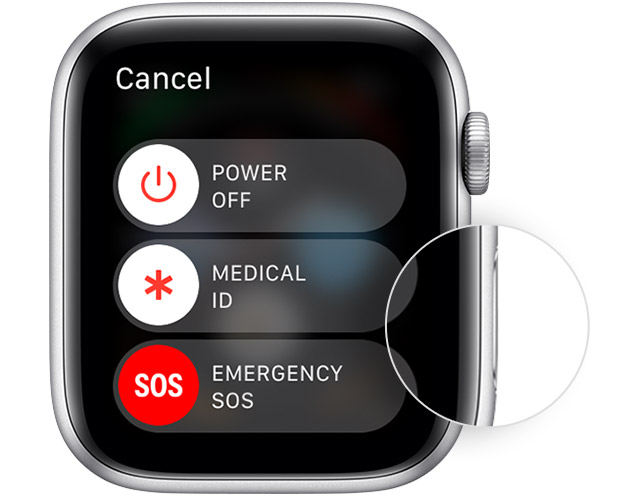
Press and hold the side button until you see the Power Off slider
Drag the Power Off slider
After your watch turns off, press and hold the side button again until you see the Apple logo
Apple Support
Was this article helpful?
Sorry about that! Care to tell us more?