
Adjusting Trainer Voice Volume 🔊
Edited
You can adjust the Trainer Voice Volume at any time to find the balance that works best for you!
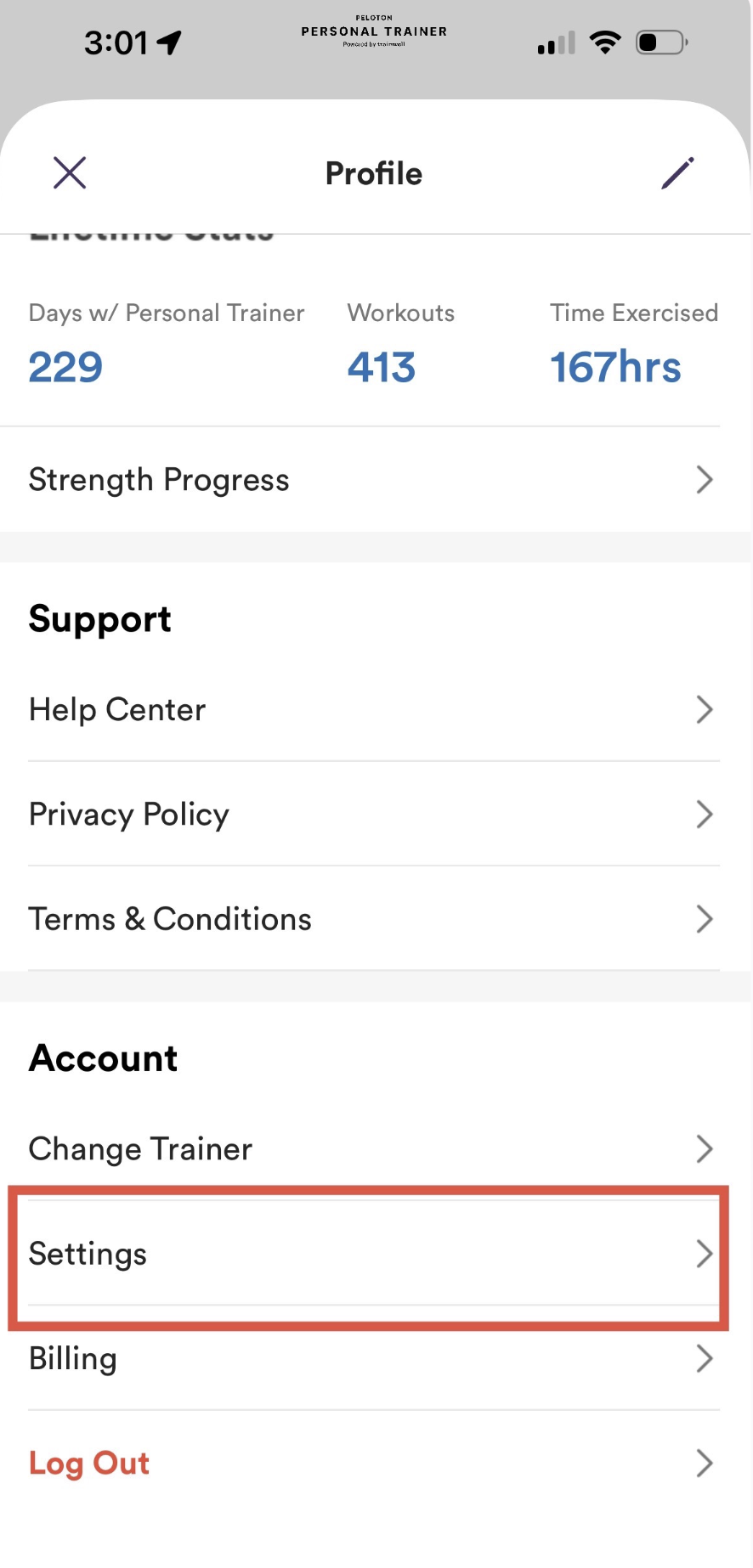
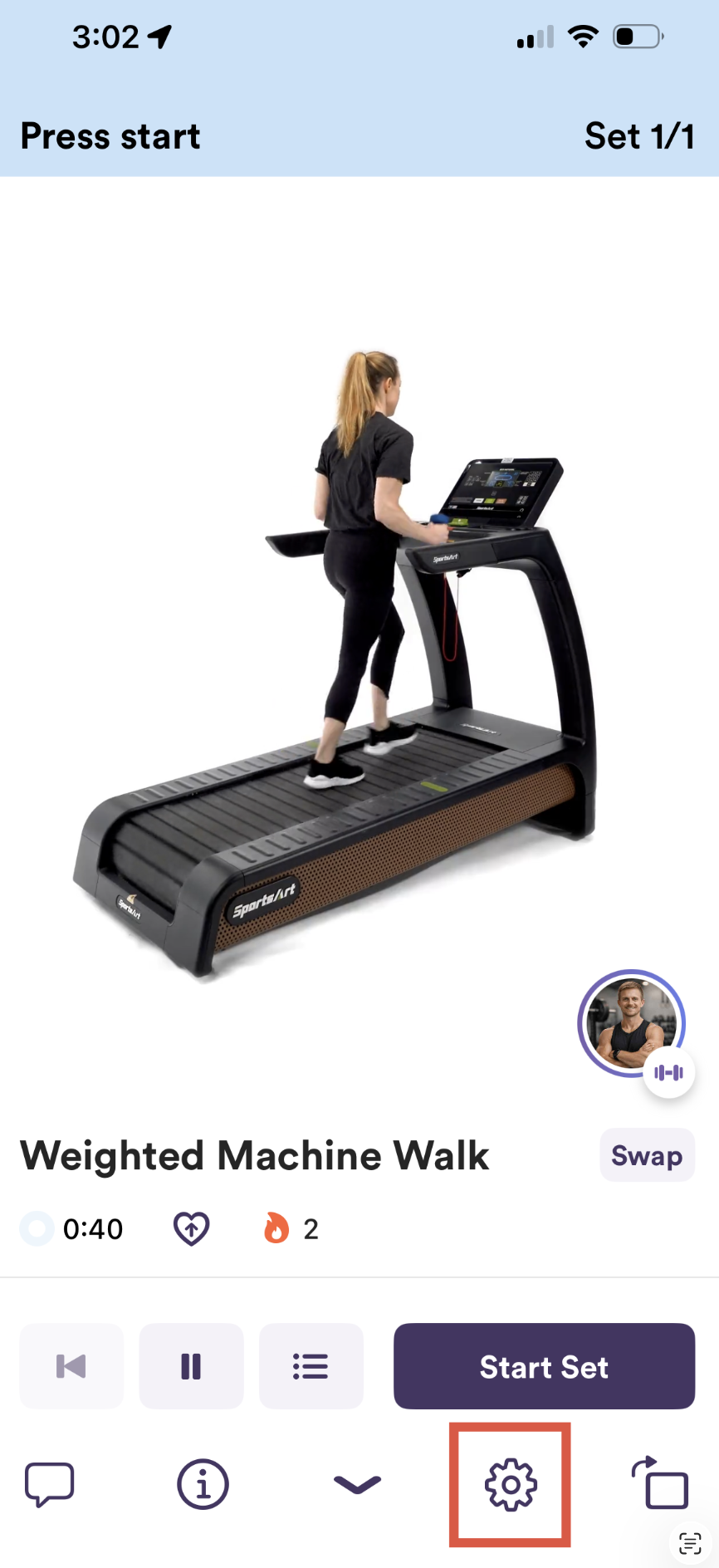
There are two ways to access Settings:
From your profile
During a workout
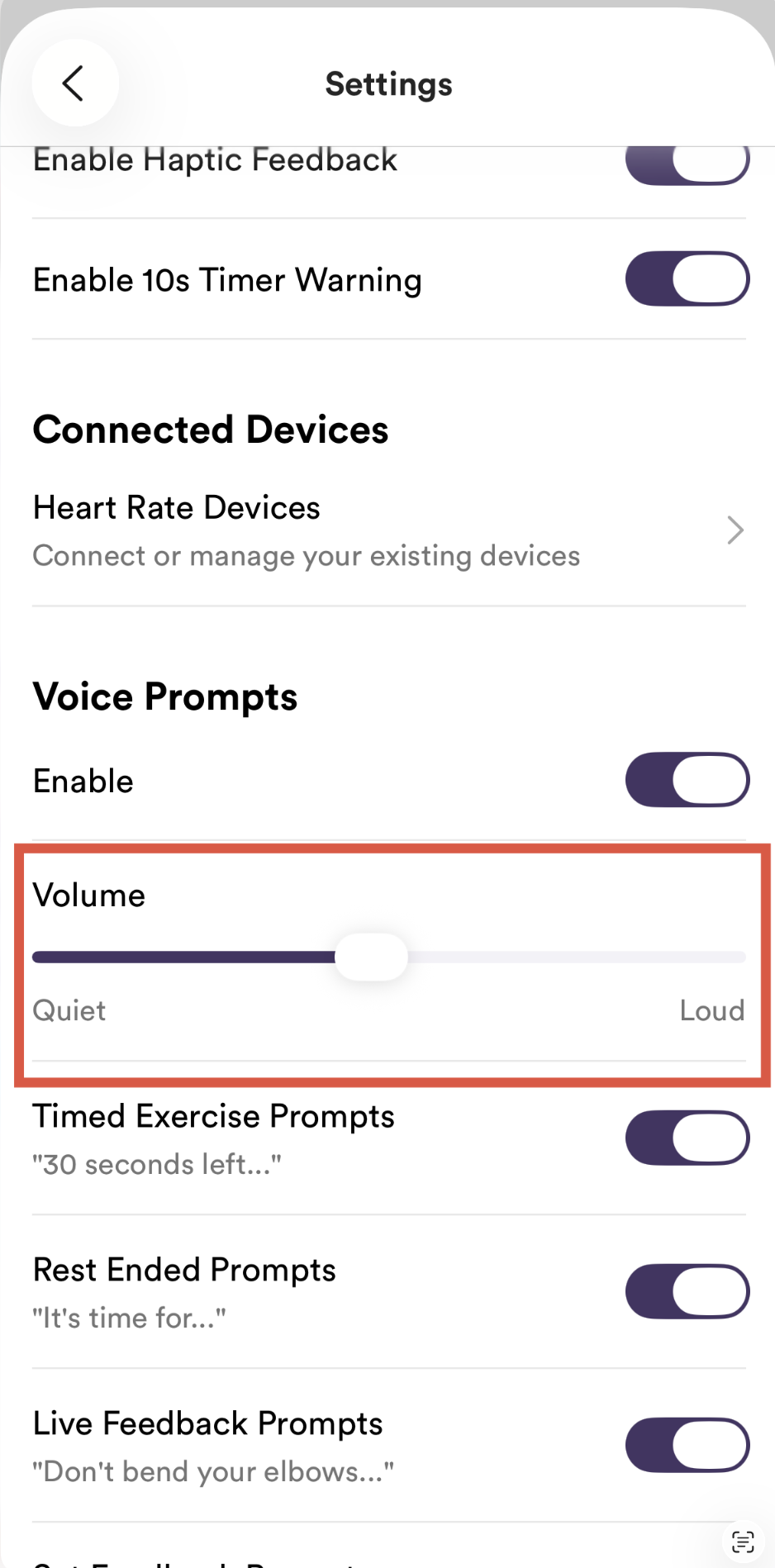
Adjusting the Volume
Once you've opened Settings, use the Trainer Voice Volume slider to increase or decrease the trainer's voice.
🎵 Listening to Music?
If you're listening to music from another app, you may also need to lower your music volume for the best listening experience.
Need help playing music during your workout? Learn how to use Spotify, Apple Music, and other music apps with Peloton Personal Trainer here.
Was this article helpful?
Sorry about that! Care to tell us more?