
How To Find Scheduled Peloton Classes
To view the Peloton workouts your Trainer has planned, you can check your schedule in the following locations:
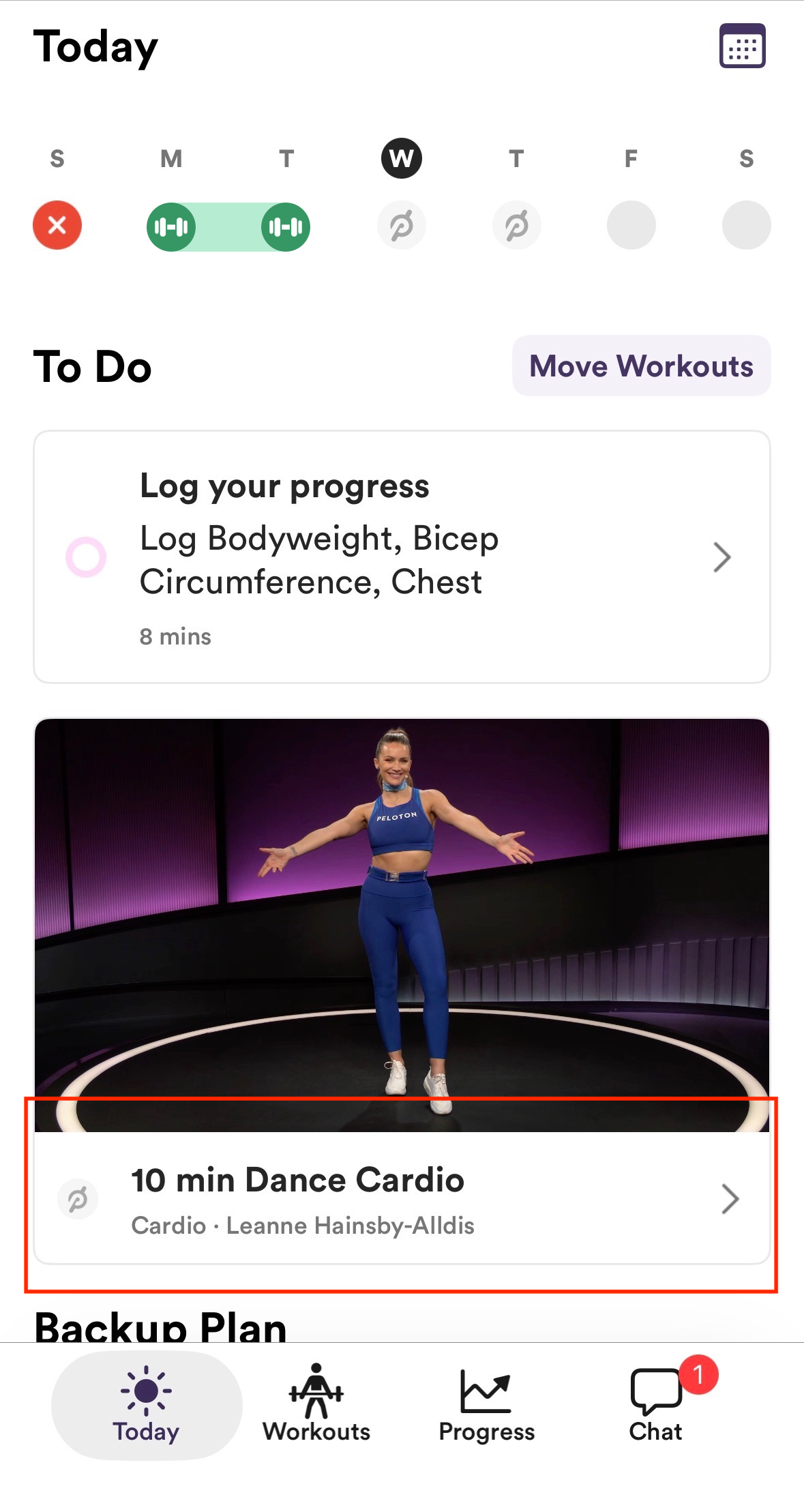
From the Today tab on the Peloton Personal Trainer App:
Tap on the Peloton Workout
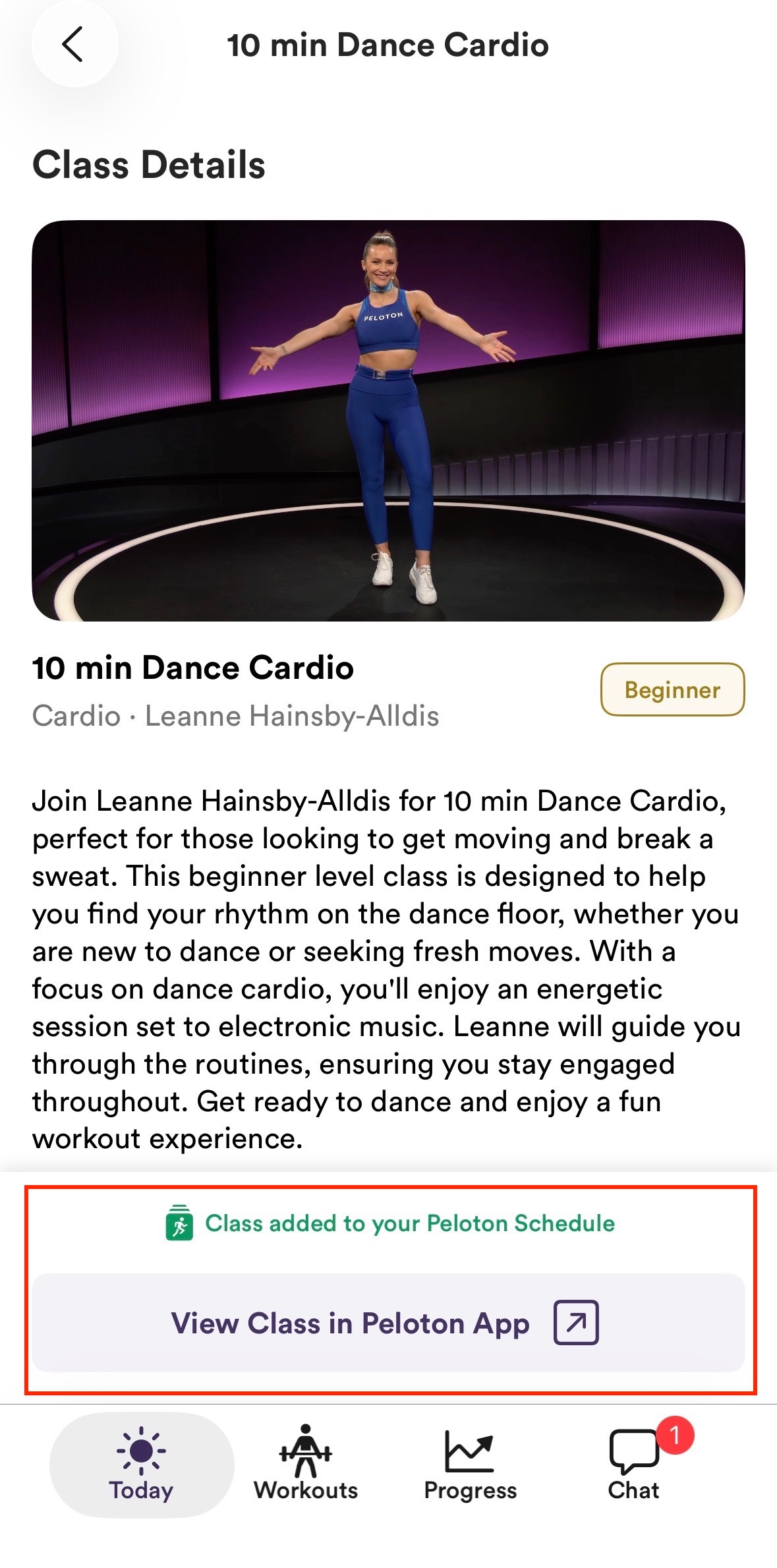
Tap "View Class in Peloton App"
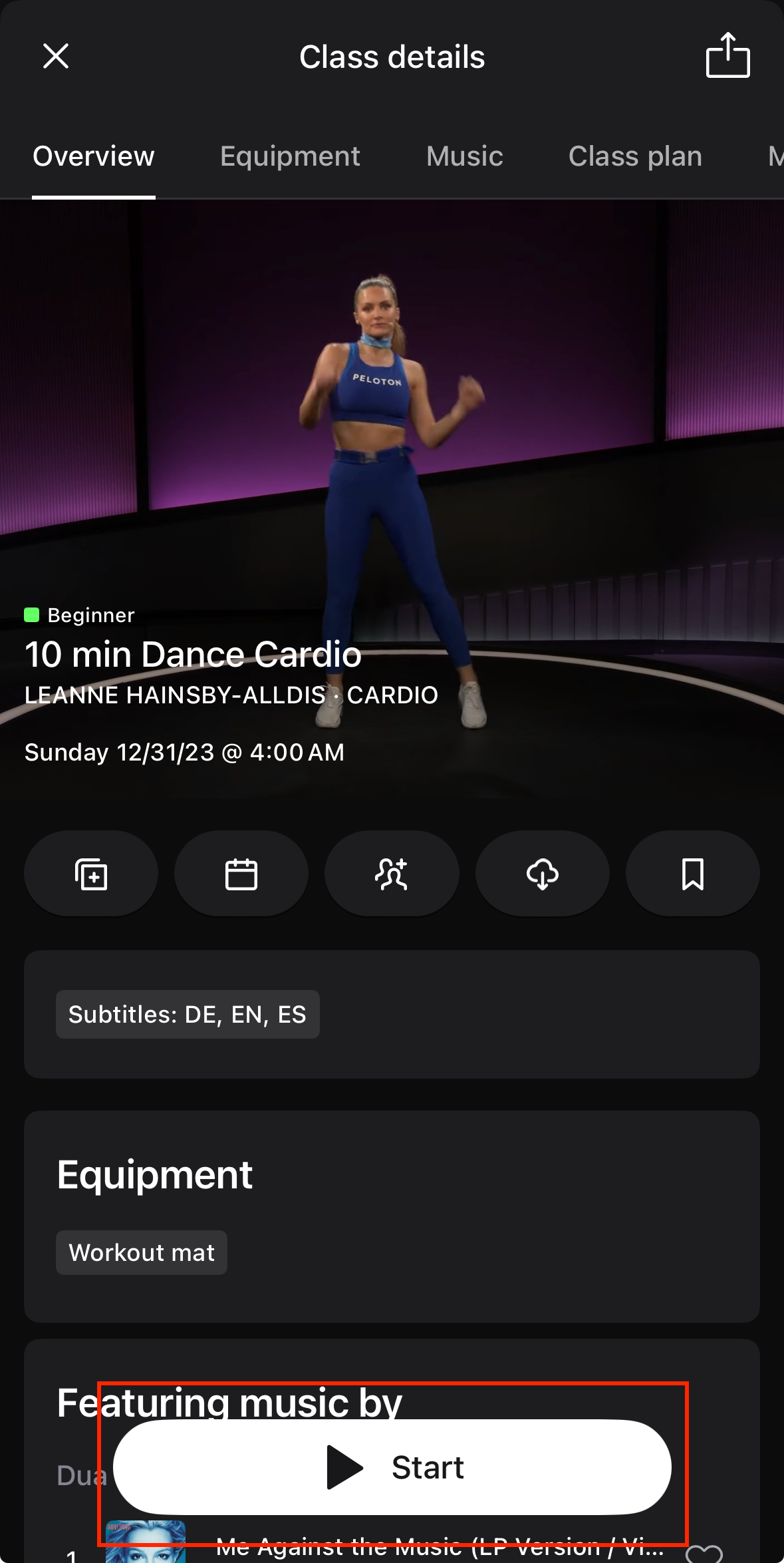
You will be taken to the Peloton App where you can start the scheduled class.
From the Workout tab on the Peloton Personal Trainer App:
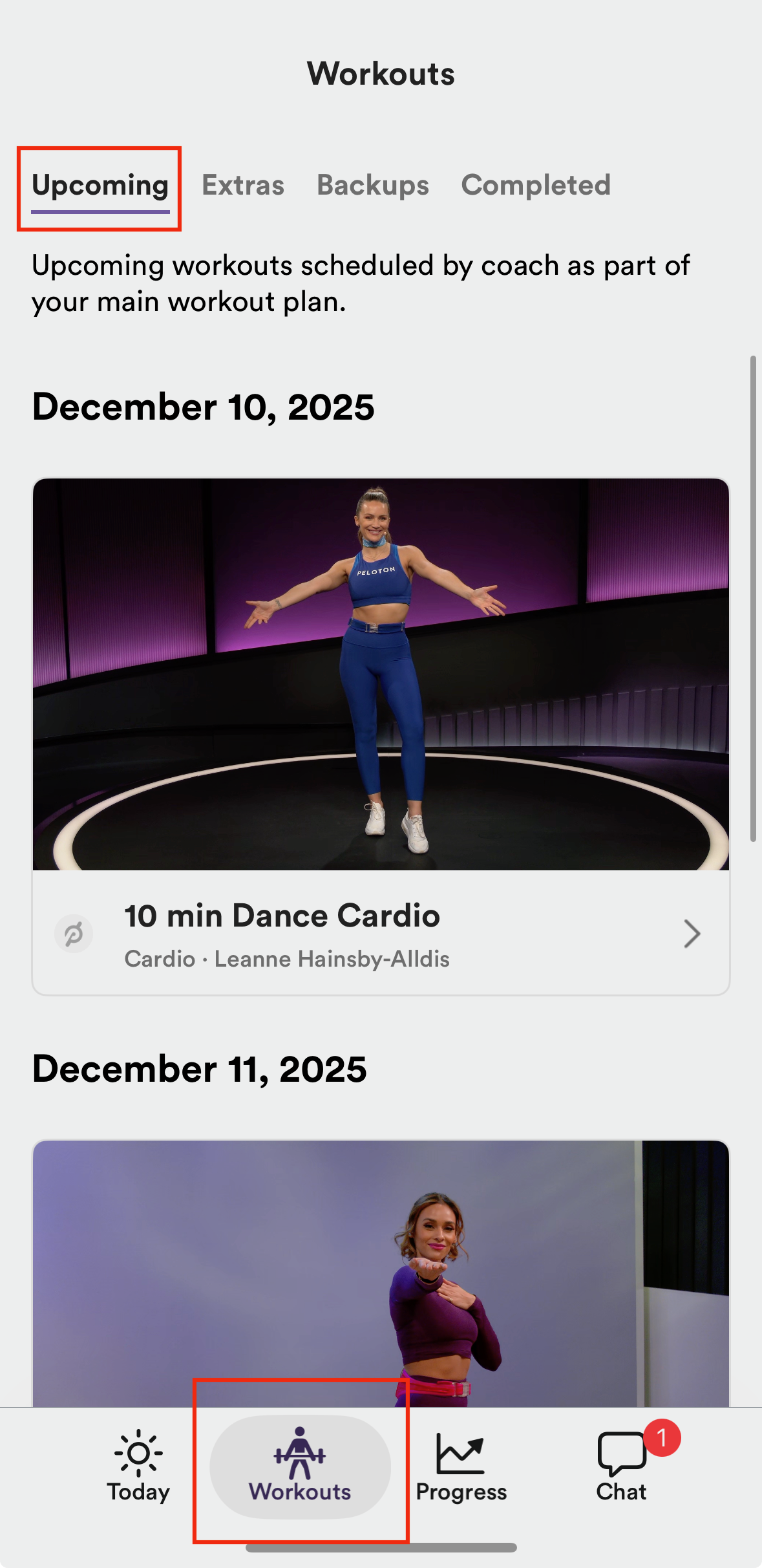
Tap on the Workouts Tab - You can see all of your upcoming planned workouts here, including both Peloton and Trainwell workouts.
*Your trainer can also add Peloton workouts to your Extras or Backups tab!
From the Peloton App:
Tap on the Calendar icon in the top right corner of the Peloton App.
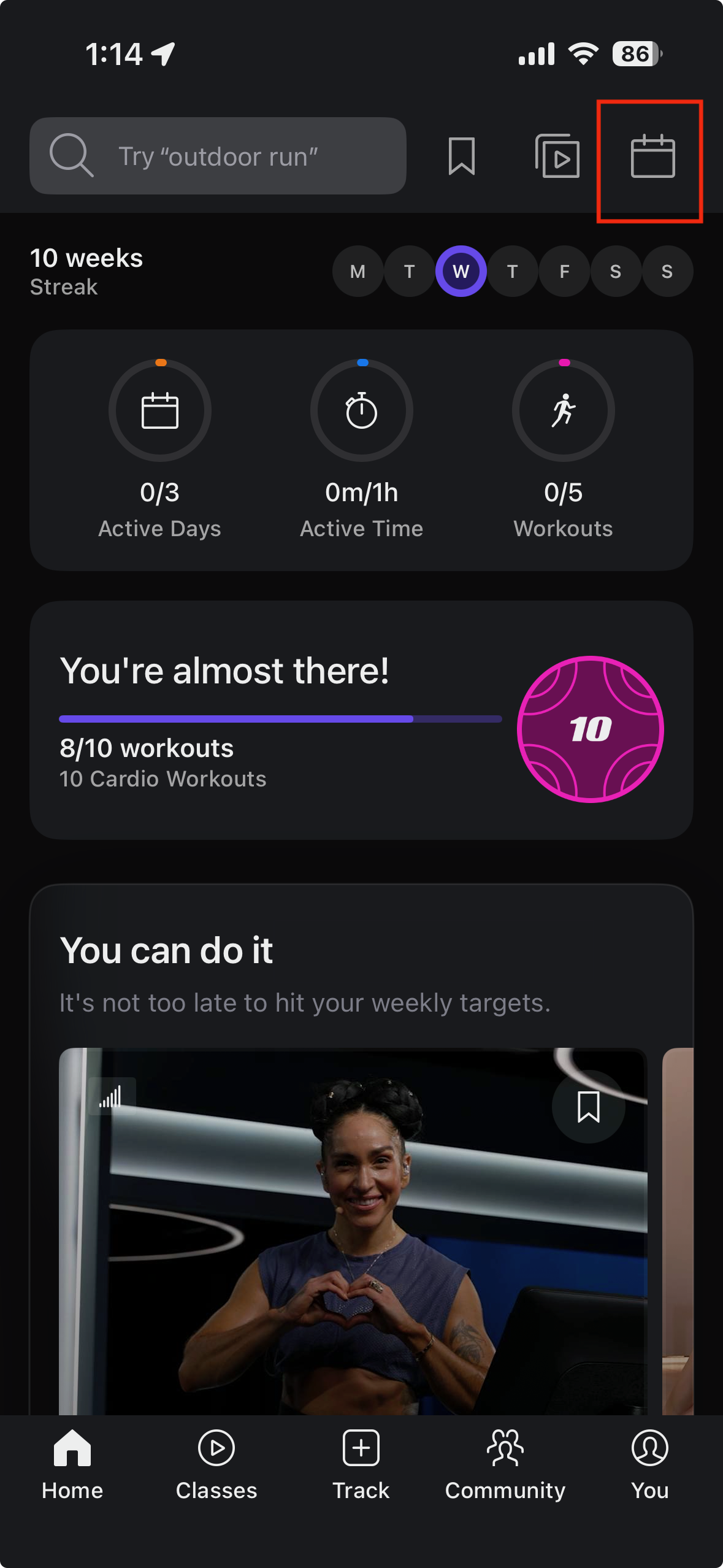
Here you will find your scheduled Peloton classes. These will include classes planned by your Trainer, as well as any classes you have scheduled yourself.
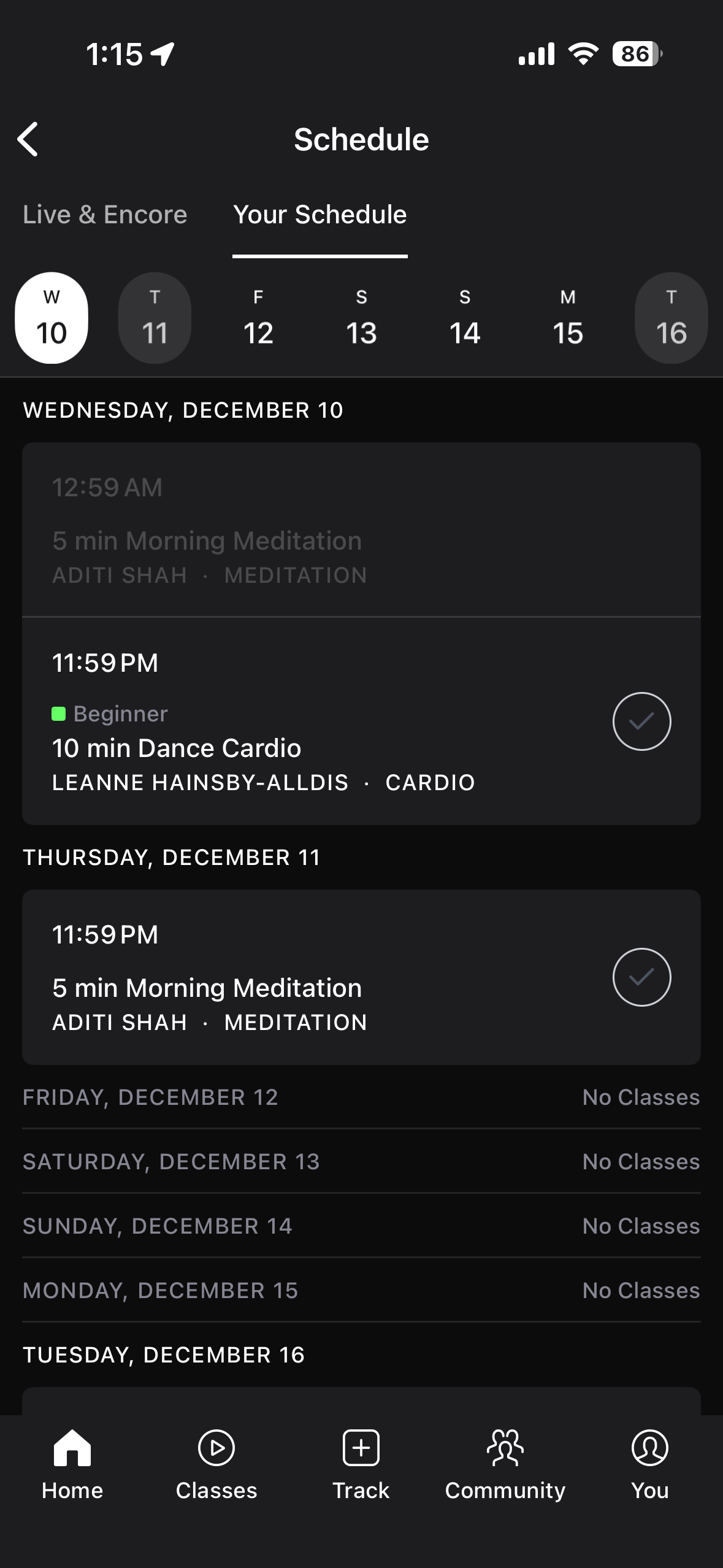
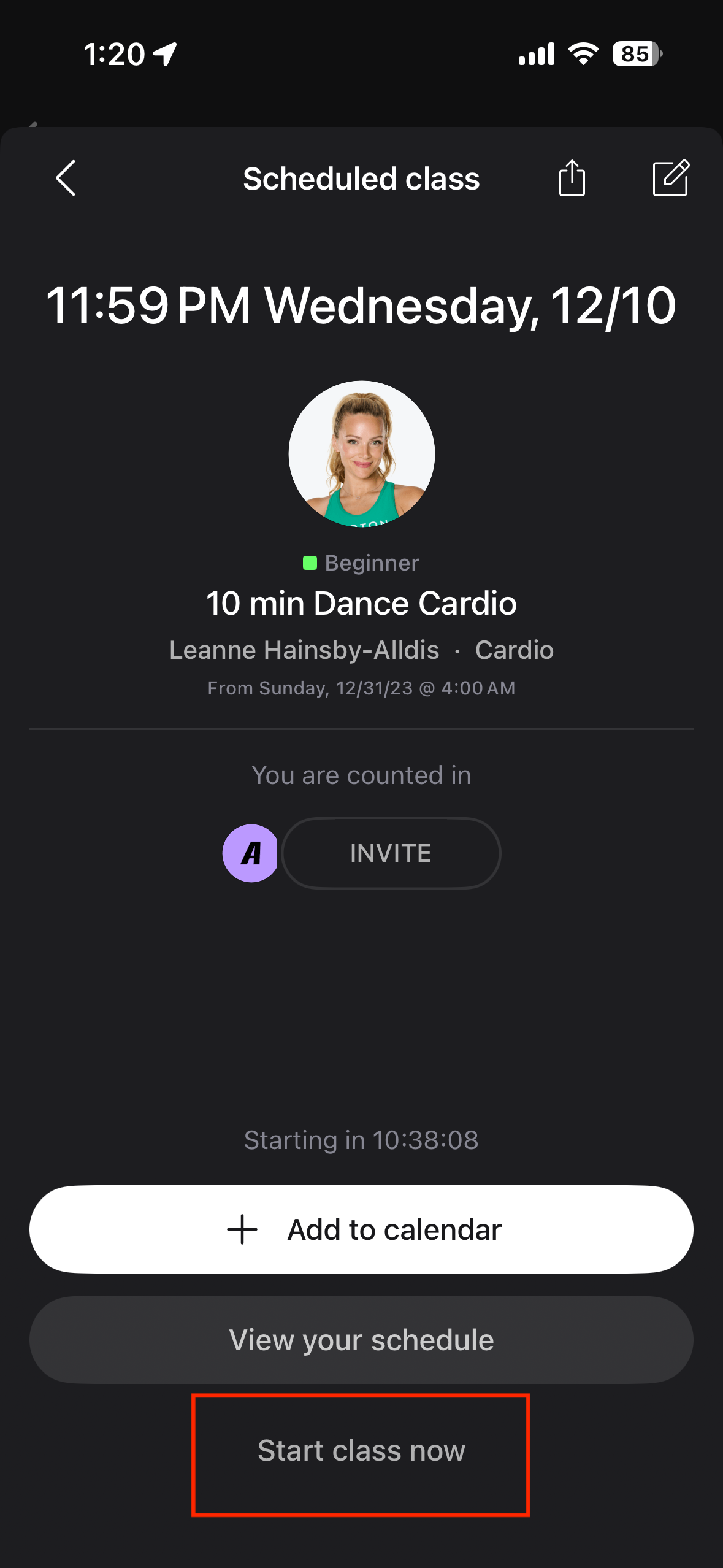
*If you would like to start your planned Peloton workout from here, simply tap on the class and then Start Class Now. Upon completion, the class should automatically sync with the Peloton Personal Trainer app .
From Peloton Equipment:
Tap on the Schedule icon
Tap on Your Schedule