
Fixing Sync Issues: Ensuring Your Class Gets Uploaded to Peloton Personal Trainer
If you finished Peloton class, but it's not appearing in your Peloton Personal Trainer app immediately - we find a common reason is that the workout hasn't been officially submitted from your Peloton device (Bike/Tread/Phone App...).
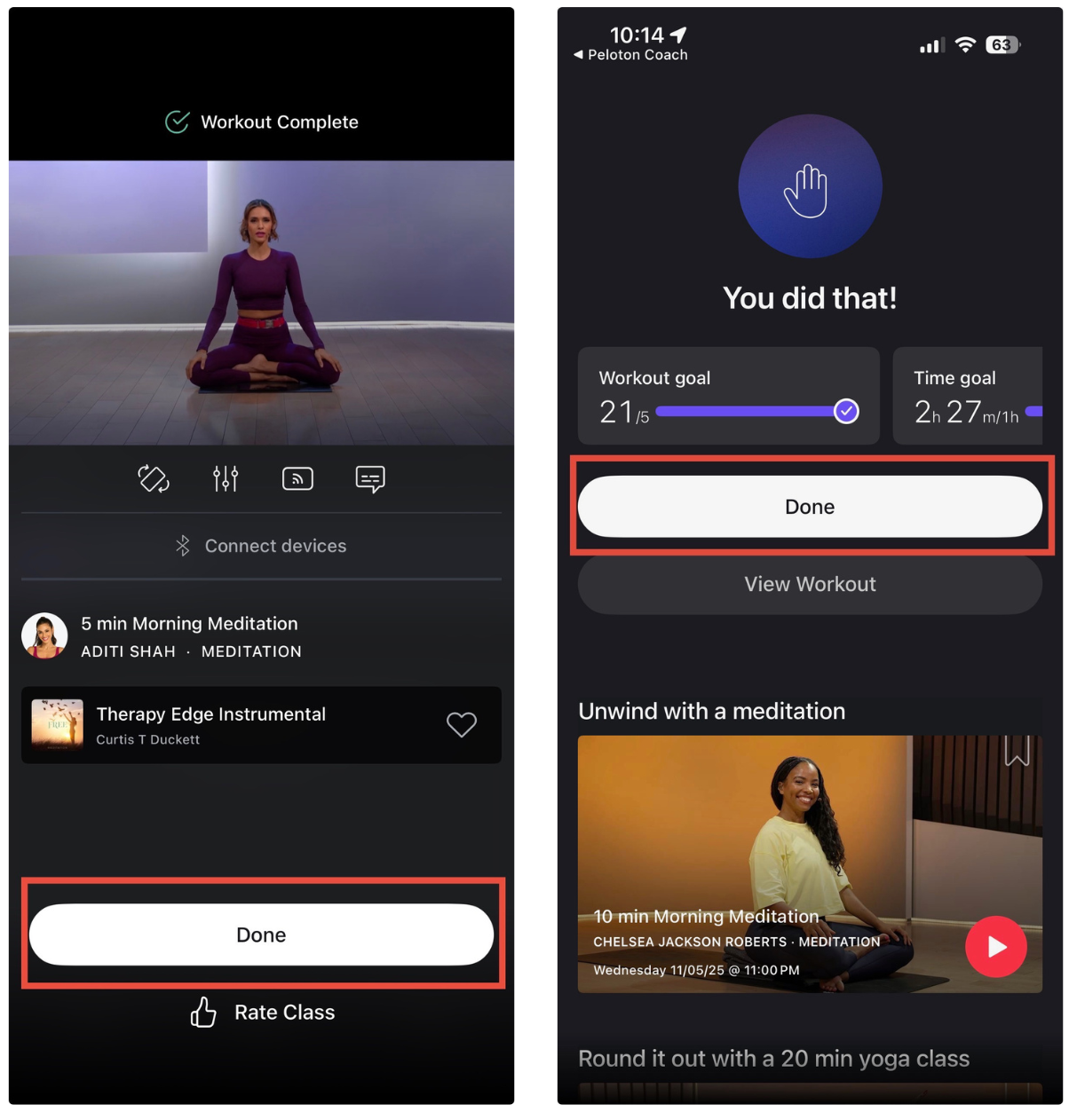
Click "Done" to Save
After your cool-down is finished and the class ends, you will see a summary screen on your Peloton device. This screen is the last step in the workout process.
Click the "Done" button on this screen to officially submit and save your workout data.
* Without clicking "Done", Peloton does not finalize the workout and may not immediately submit it to our system for syncing.
What If I Forgot to Click "Done"?
If you leave the summary screen without clicking "Done," the workout is still saved but pending submission.
After a few hours, Peloton devices often auto-sync and submit pending workouts in the background. If you forgot the "Done" button, the workout will typically sync on its own after a couple of hours (usually within 2–4 hours).
If it hasn't appeared after three hours, you can try force closing the app to give it a proper refresh. If the workout hasn't appeared after 24 hours, you may need to contact our support team with the workout details so we can investigate further.