
What should I do with my Personalized Plan in the Peloton app?
With Peloton Personal Trainer, you have your own personal Trainer in your corner to create a custom workout routine based on your goals, fitness level, equipment availability and more! These include both Peloton workout classes, and custom workouts created by your Trainer.
However, with the release of Peloton Personalized Plans in 2024, this can create confusion around what workouts to complete, and which plan you should truly follow.
In order to reduce confusion and ensure you are able to fully stick to the workout plan prescribed to you by your Trainer, we recommend turning OFF the Peloton Personalized Plans, and strictly following the plan created by your Trainer.
To turn off your Personalized Plan:
Open your Peloton app
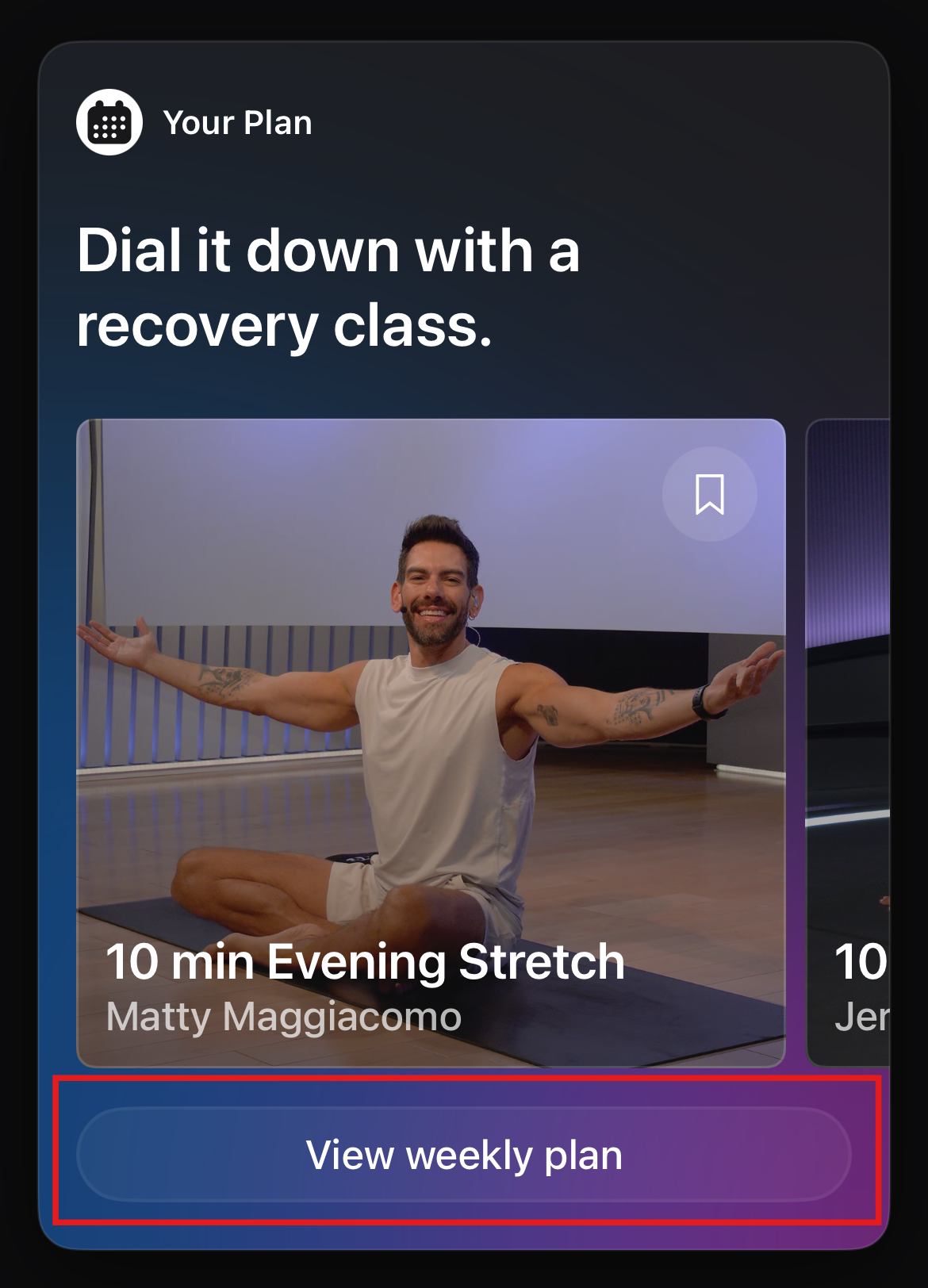
Find the section labeled "Your Plan" and click "View weekly plan"
Click the Settings button on the top right (gear icon)
Click the three-dot menu on the top right
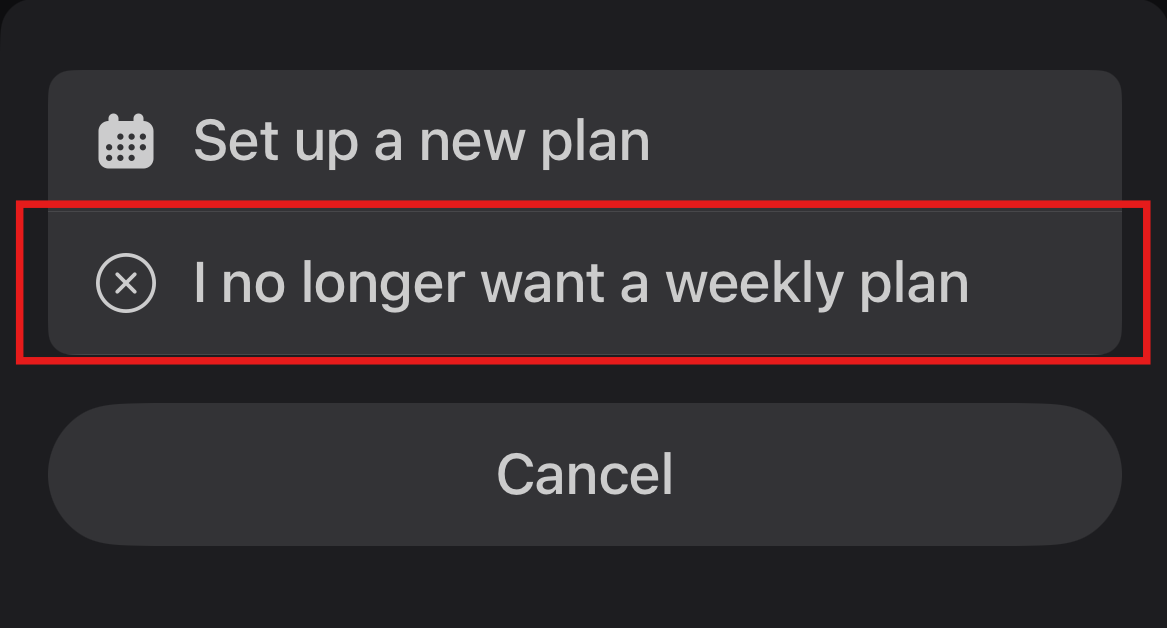
Select "I no longer want a weekly plan" and confirm the change
You can always restart your Personalized Plan in the Peloton app if you would like. The above process will allow your Trainer to create a custom routine for you and ensure you know exactly which classes are part of your Peloton Personal Trainer plan.