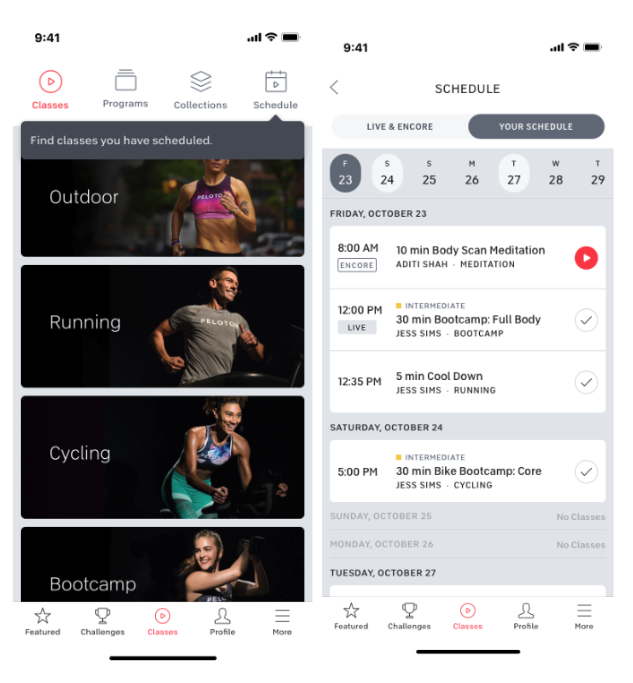
Scheduling and Finding Your Peloton Classes
Peloton offers two scheduled class types: a Workout is any class you start solo on your own time.
A Session is an On-Demand class with a set start time (Similar to a live class)
Please note: Scheduling a Workout or Session yourself on the Peloton platform will not automatically add it to your Peloton Personal Trainer calendar; your coach can add Peloton classes to your personalized workout plan
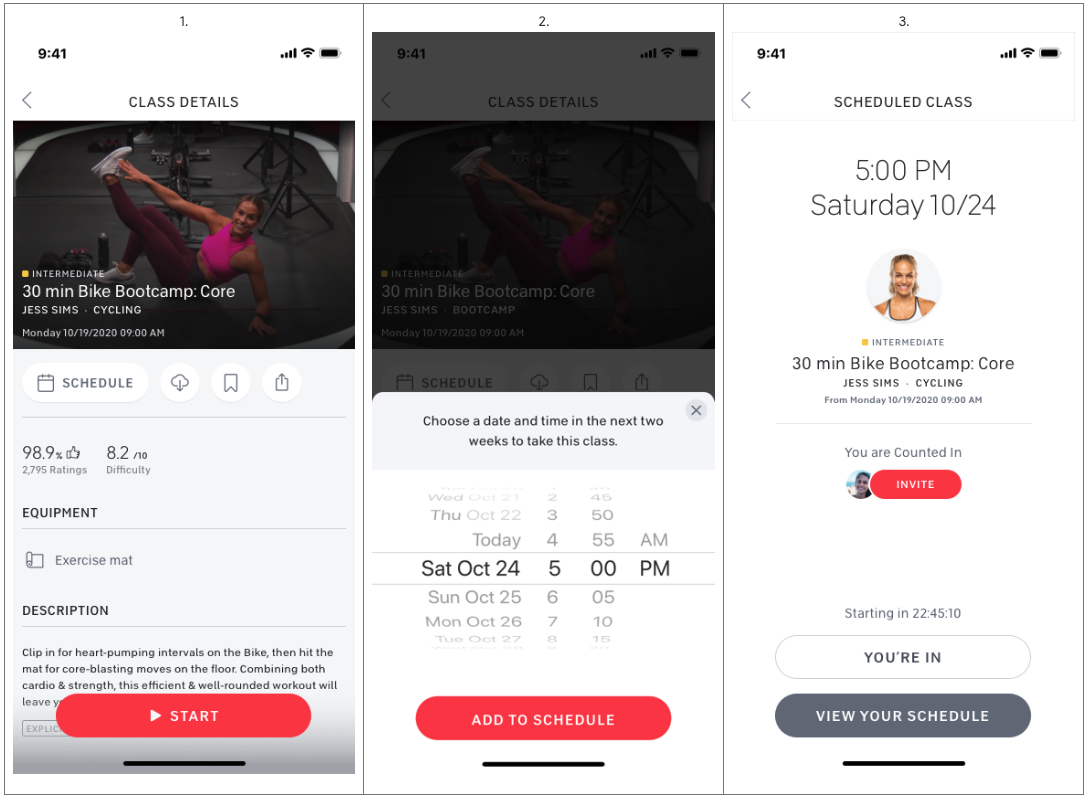
Scheduling a Workout On Apple® iOS:
In the Peloton App (iOS), select the class you want to schedule.
Tap the Schedule icon (located under the Class Name)
Choose your preferred date and time, then tap Add to Schedule.
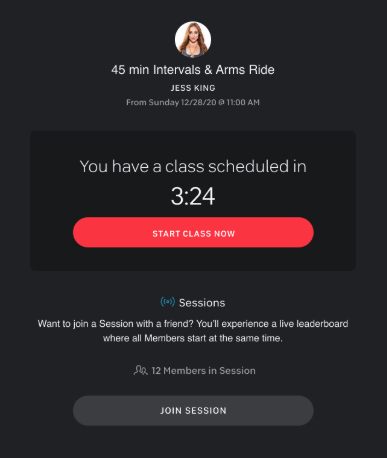
Extra Steps for scheduling a Session
When it’s time for your scheduled class, you’ll receive a push notification in the Peloton App and on your Peloton device.
To take your scheduled class as a Session with friends - select Join Session on your Peloton Bike, Bike+, Tread, or Tread+
Scheduling a Workout On Bike & Tread:
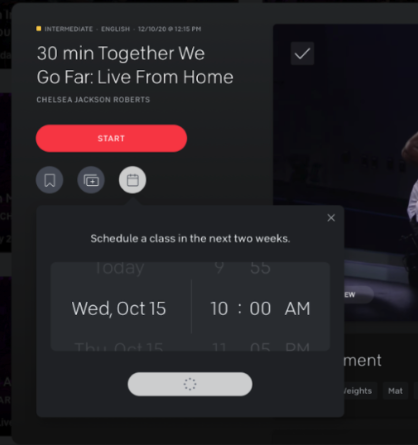
On your Peloton touchscreen, select the class you want to schedule.
Tap the Schedule icon (located under the Class Name)
Set your desired date and time to work out and select "Add to Schedule".
Extra Steps for scheduling a Session
When it’s time for your scheduled class, you’ll receive a push notification in the Peloton App and on your Peloton device.
To take your scheduled class as a Session with friends - select Join Session on your Peloton Bike, Bike+, Tread, or Tread+
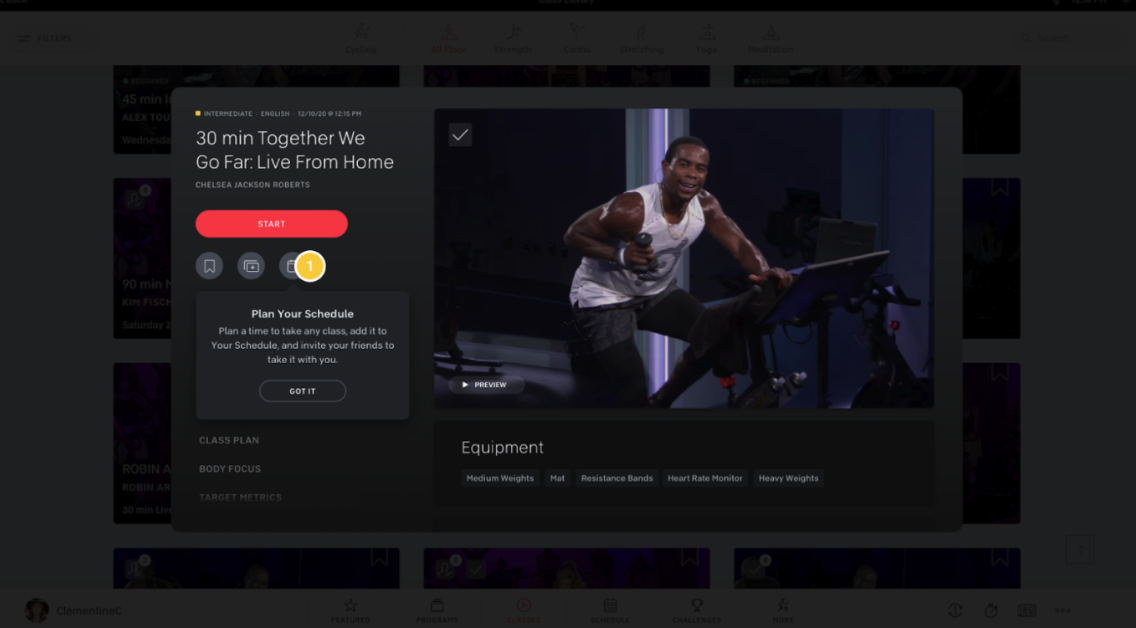
Scheduling a Workout on Web
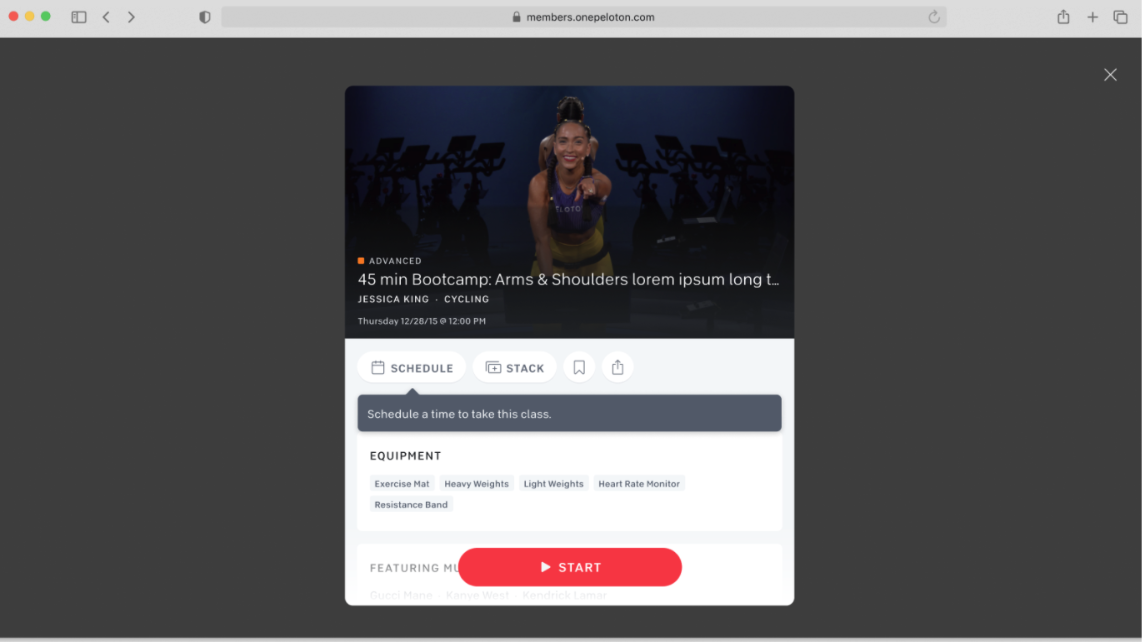
On the Peloton website, select the class you want to schedule.
Under the class name, click the "Schedule" icon.
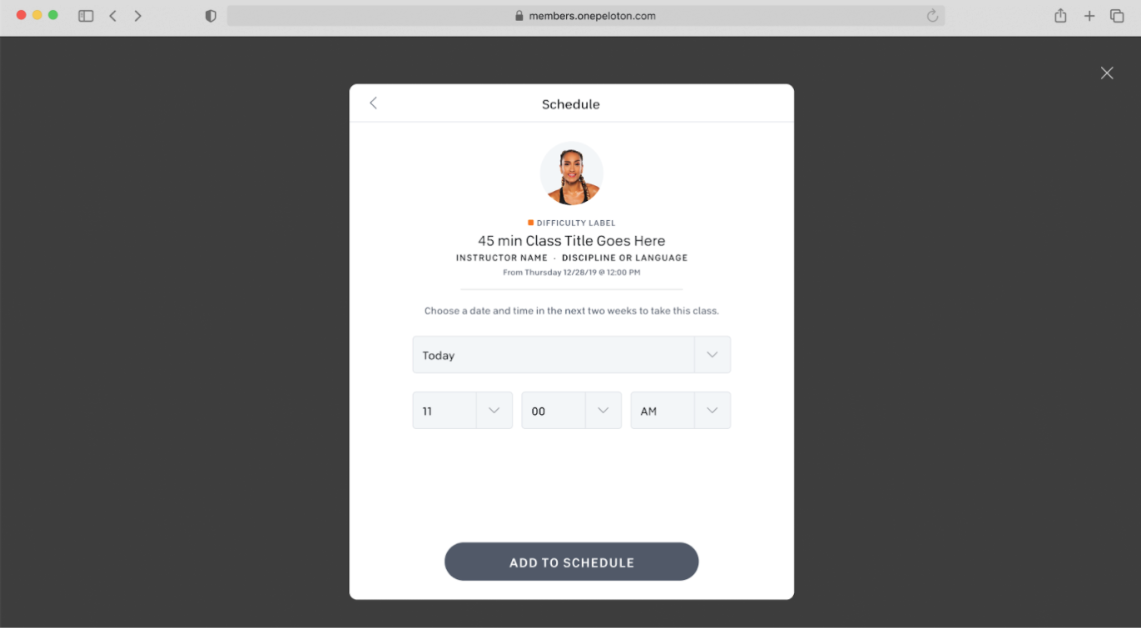
Set your desired date and time to work out and select "Add to Schedule".
Extra Steps for scheduling a Session
When it’s time for your scheduled class, you’ll receive a push notification in the Peloton App and on your Peloton device.
To take your scheduled class as a Session with friends - select Join Session on your Peloton Bike, Bike+, Tread, or Tread+
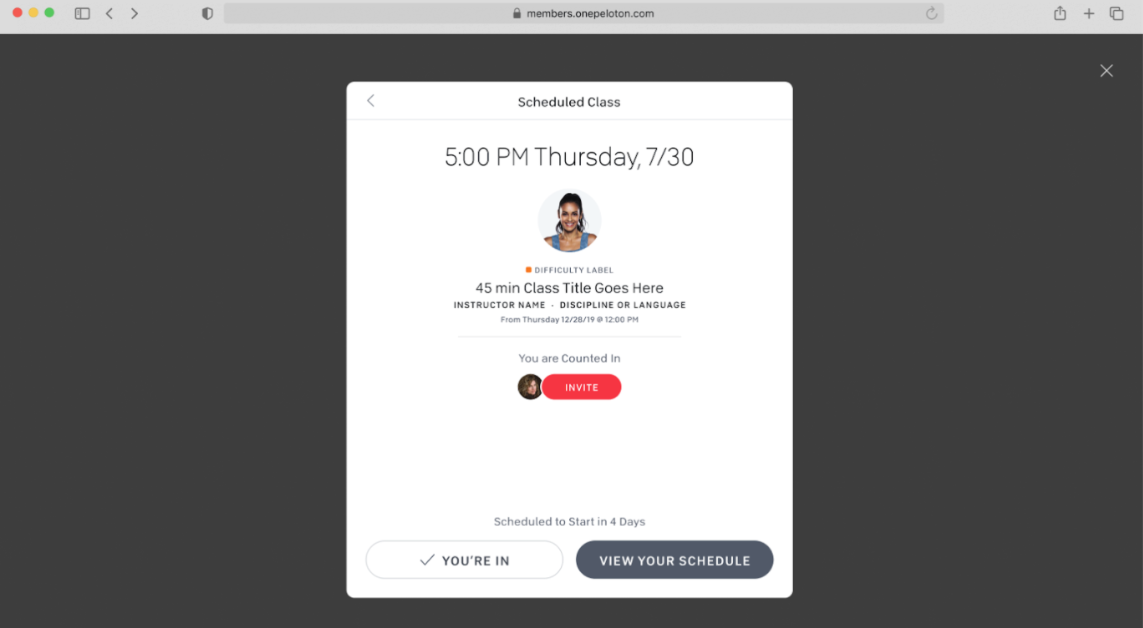
Viewing Your Schedule
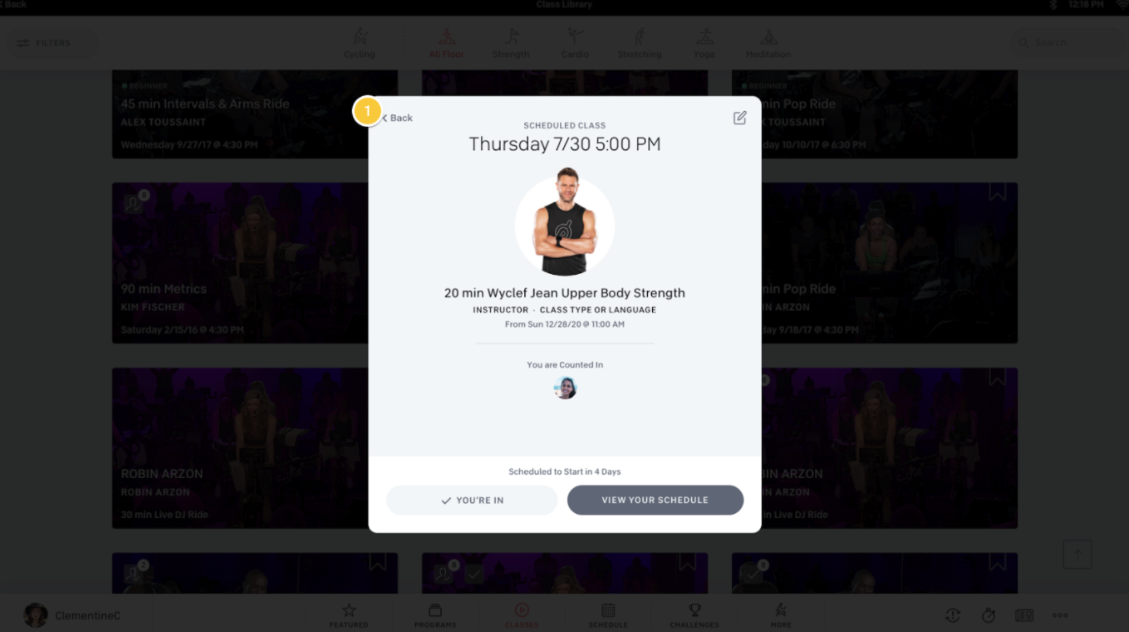
To view your scheduled classes:
Tap the "Schedule" tab in the Peloton App or on your Peloton device.
Proceed to "Your Schedule".