
How do I login if I created my Peloton account with a social or Google login?
When logging into the Peloton Personal Trainer app, you will be asked to link your Peloton All Access Membership with the app. This requires a username and password.
Since some Peloton users created their account by directly connecting other accounts like Google, Apple, or social media accounts, you may not have a username and password set up. Below is more information on how to get your All Access Membership connected to Peloton Personal Trainer if your account doesn't currently have a username or password.
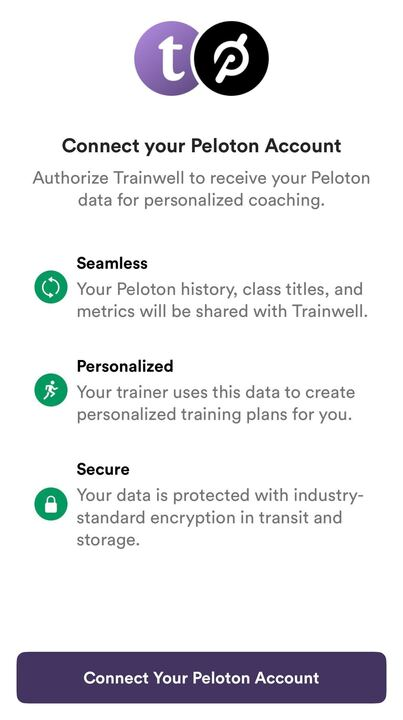
How to create a username and password if you don't have one
Use the "Forgot Password" option
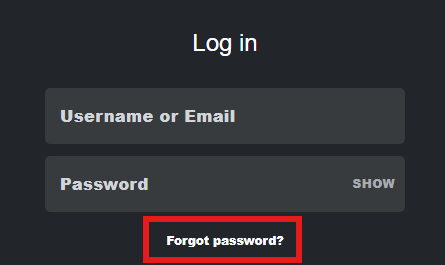
The easiest option would be to utilize the "forgot password" option on your Peloton account. When you're logging into your Peloton account, you can select "forgot password".
Simply use the email address associated with the account you signed up with (Google, Apple, etc.) and you will be able to create a new password. This password can be used to complete the sign-in process on Peloton Personal Trainer!
Use the email you received upon creating your Peloton account
In addition to the above method, you should have also received an email after creating your Peloton account with one of the above options entitled "Create a Peloton Password".
Simply follow the instructions in the email to create your password, which can then be used to complete the sign-in process on Peloton Personal Trainer!
Other notes
Some Apple users may have an option enabled called "hide my email". This feature creates a unique email address different from your regular email that can be used to sign up for accounts.
If this option is enabled, you will need this exact email address to complete the above steps. To do so:
Open the Settings app.
Tap your name at the top.
Tap iCloud.
Tap Hide My Email.
You will see a list of all the hidden email addresses you have created