Download or Uninstall Trainwell App on Compatible Wear OS Watch
Tip: You can manage apps directly on your watch, or using the Wear app on your Android phone
View a list of compatible Wear OS watches here
Download from your Android phone:
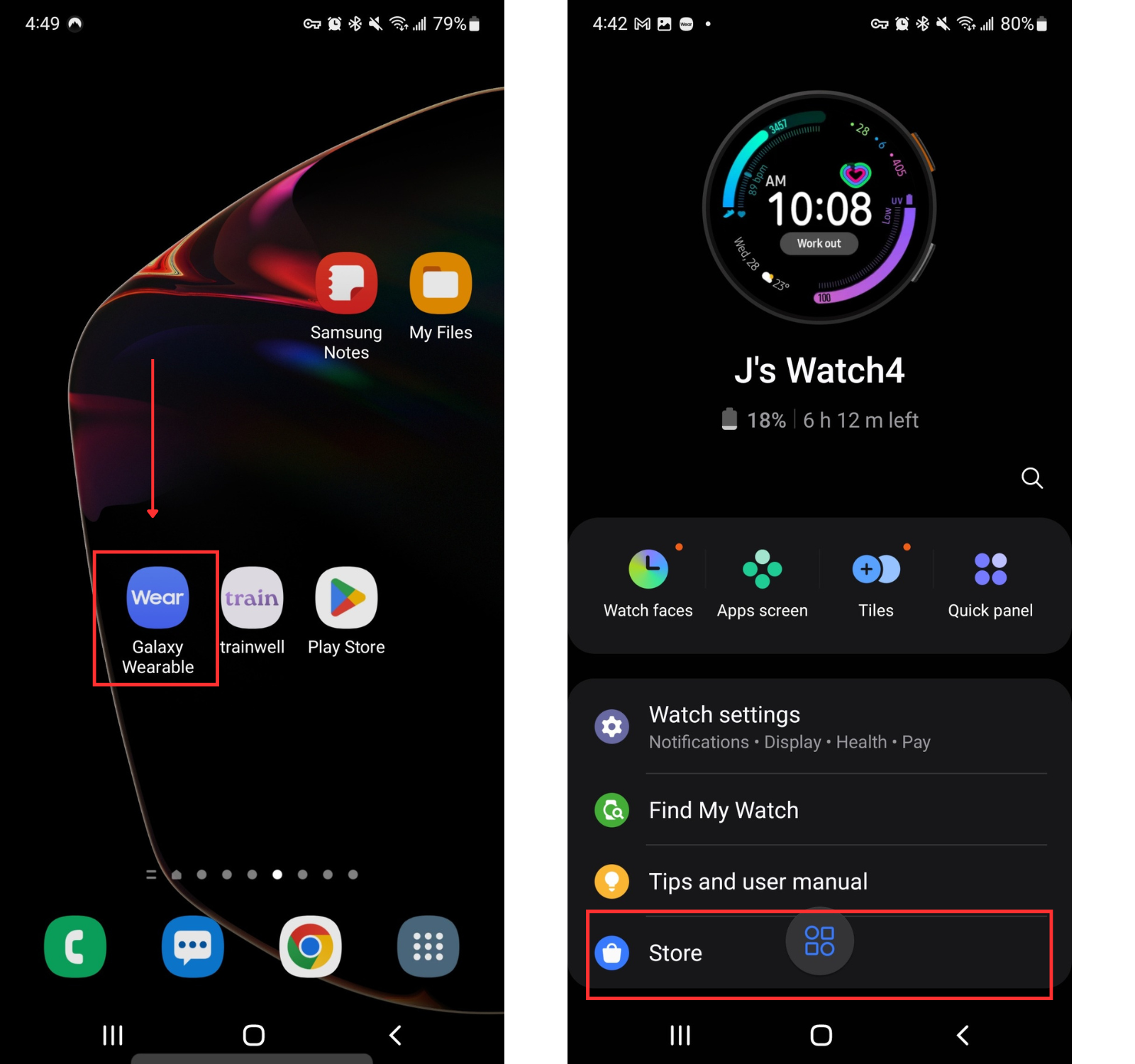
Open the Wear app
Tap Store
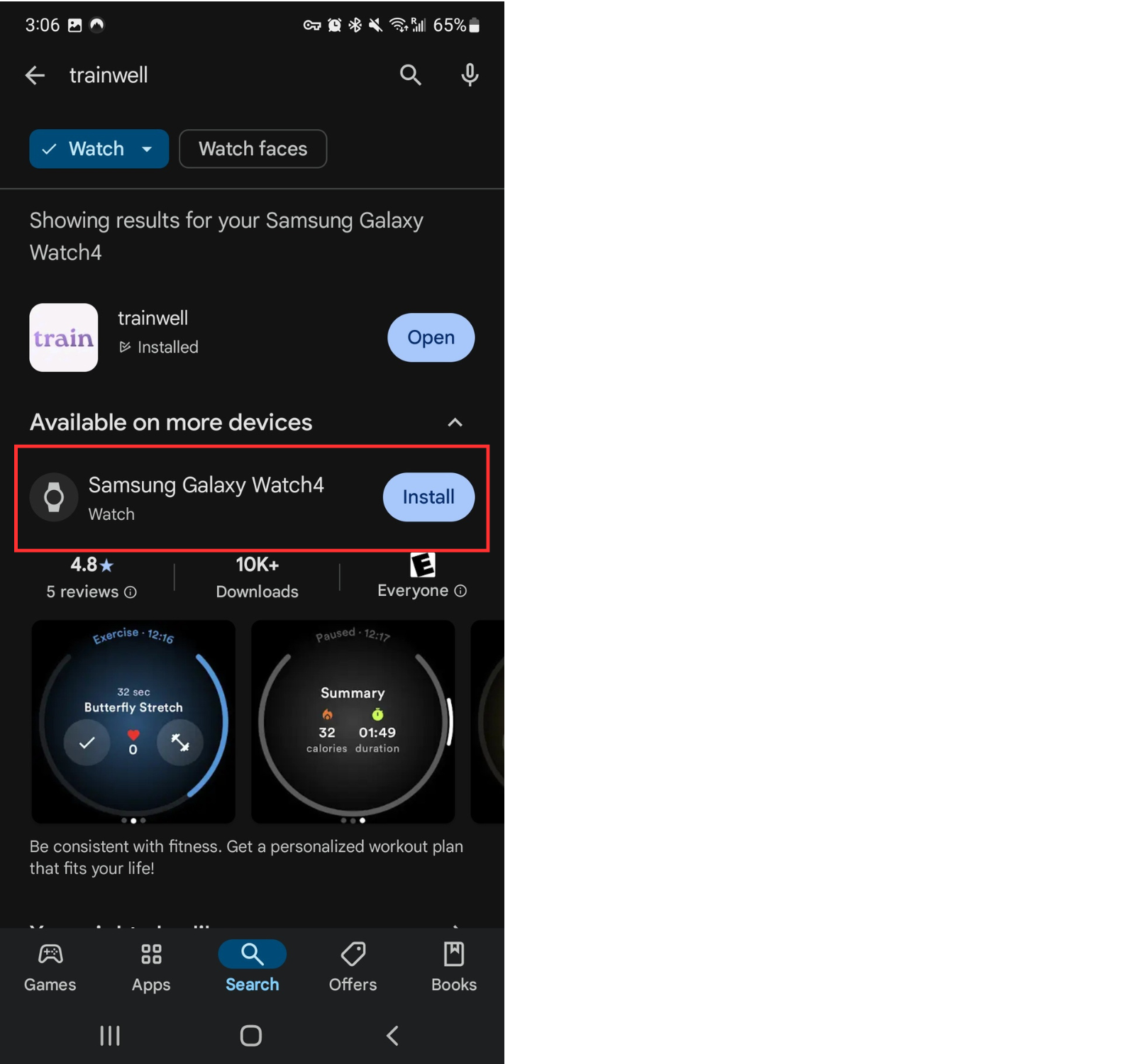
Search "trainwell" in the search bar
Compatible connected devices should automatically appear with an option to Install
If your compatible watch is not listed here, check to ensure Bluetooth is enabled on the phone and the watch
If the watch still does not appear, tap the dropdown next to "This device" to view other available devices
Under Your devices, select the watch
Tap Install

Uninstall from your Android phone:
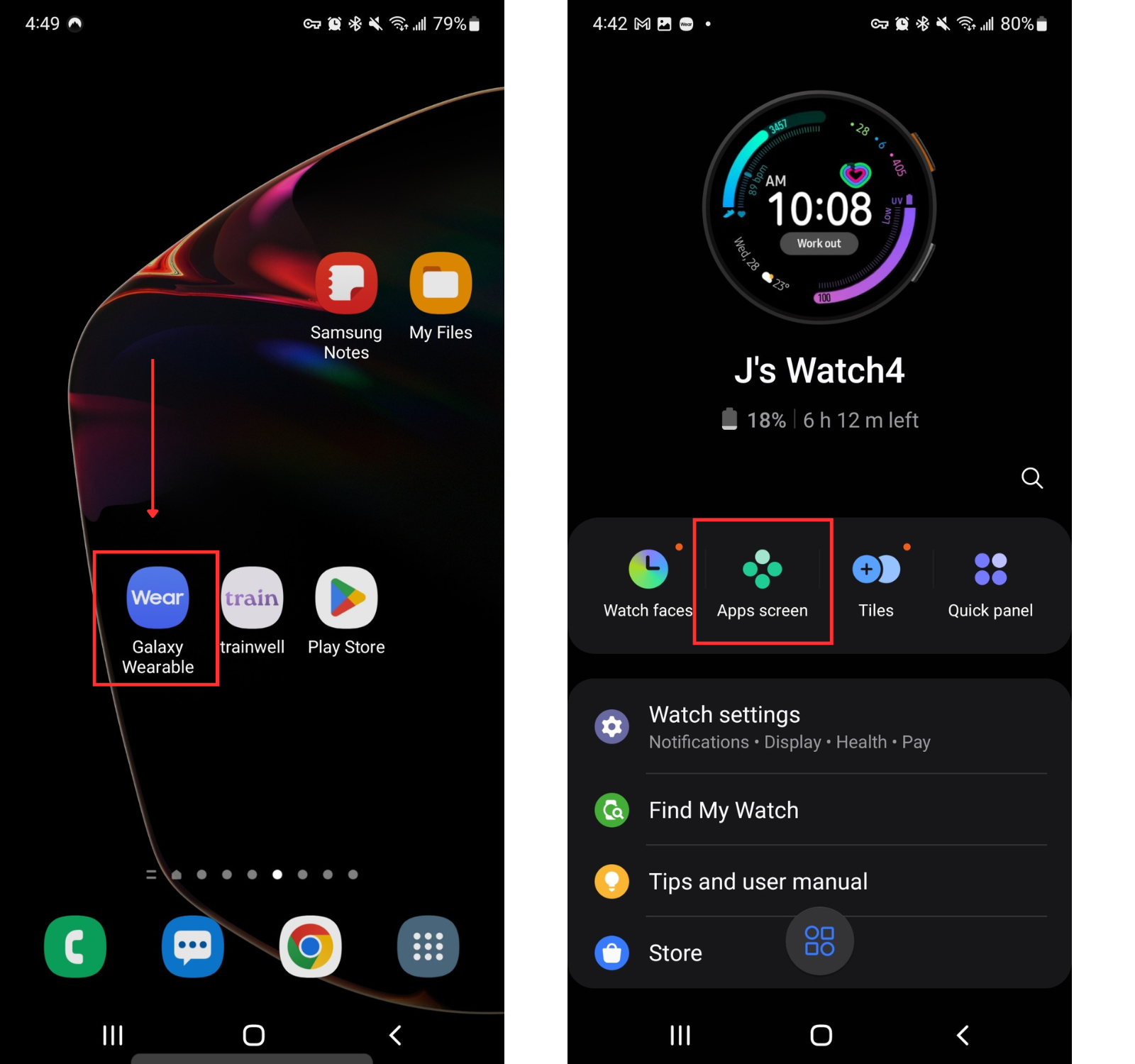
Open the Wear app
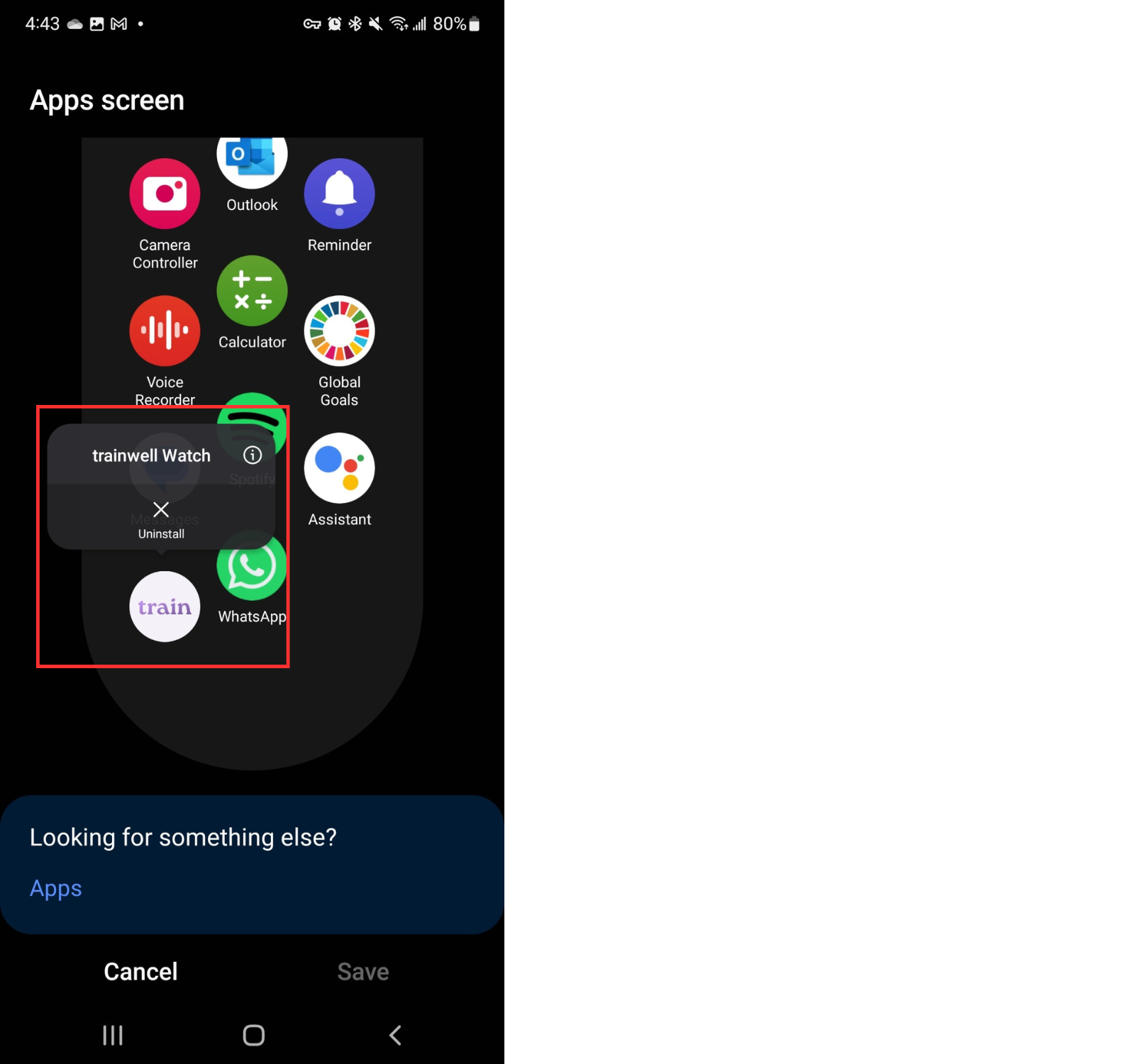
Tap App screen
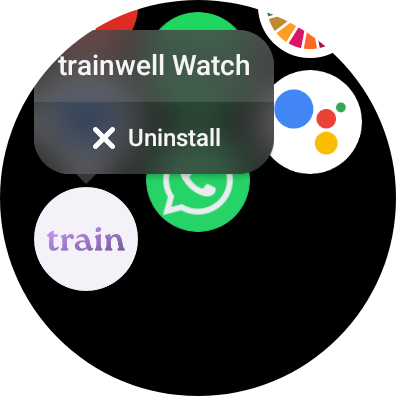
Press and hold on the trainwell app until the dialogue box appears
Tap Uninstall
Download from your Wear OS watch:
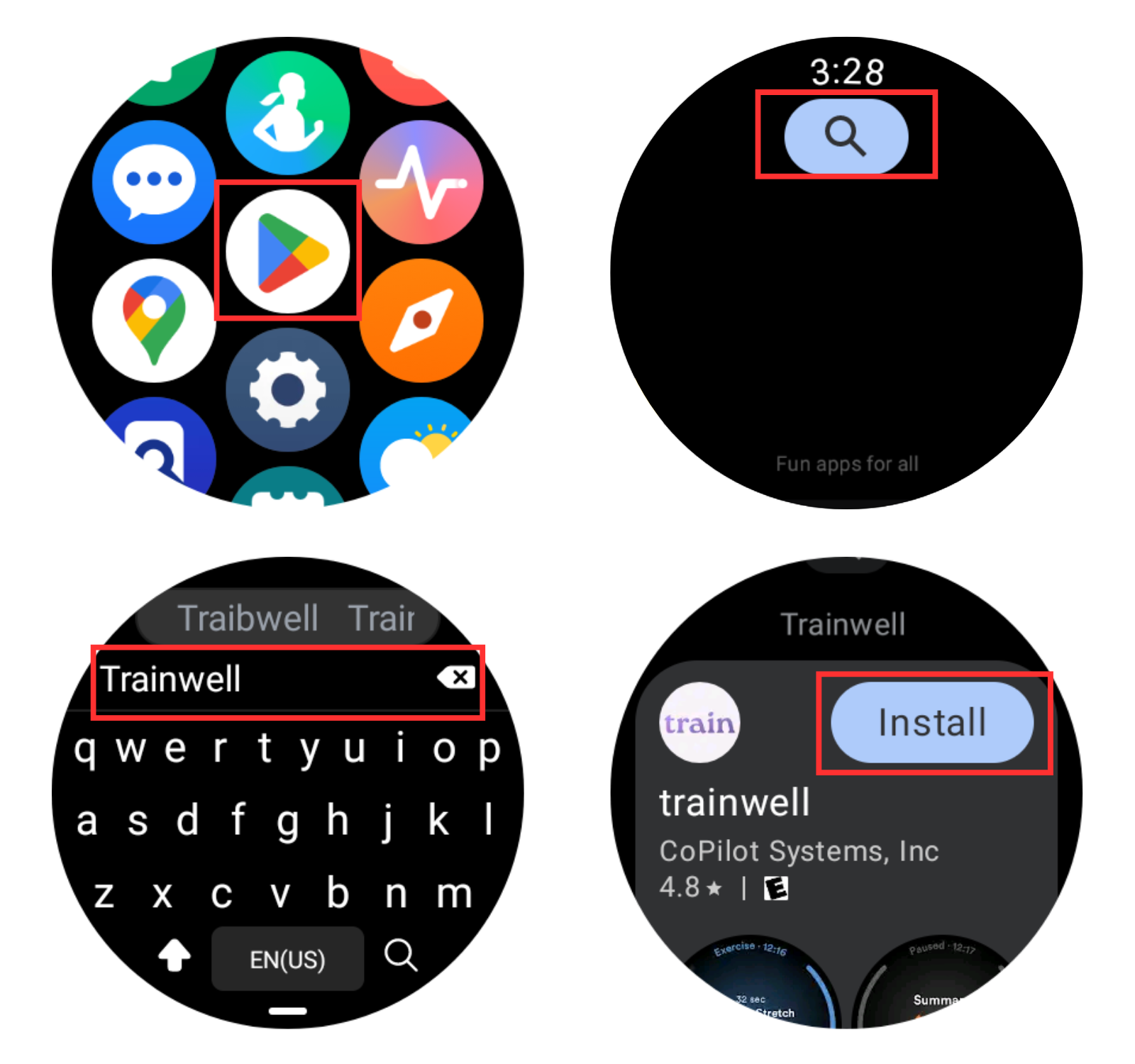
Tap the Play Store app
Tap the magnifying glass icon to search
Type "trainwell" in the search bar
Tap Install
Uninstall from your Wear OS watch:
Swipe up on the watch face to view available apps
Press and hold on the trainwell app until the dialogue box appears
Tap Uninstall