
Unpair Your Android Watch
Edited
Tip: Keep your watch and phone close together as you unpair them
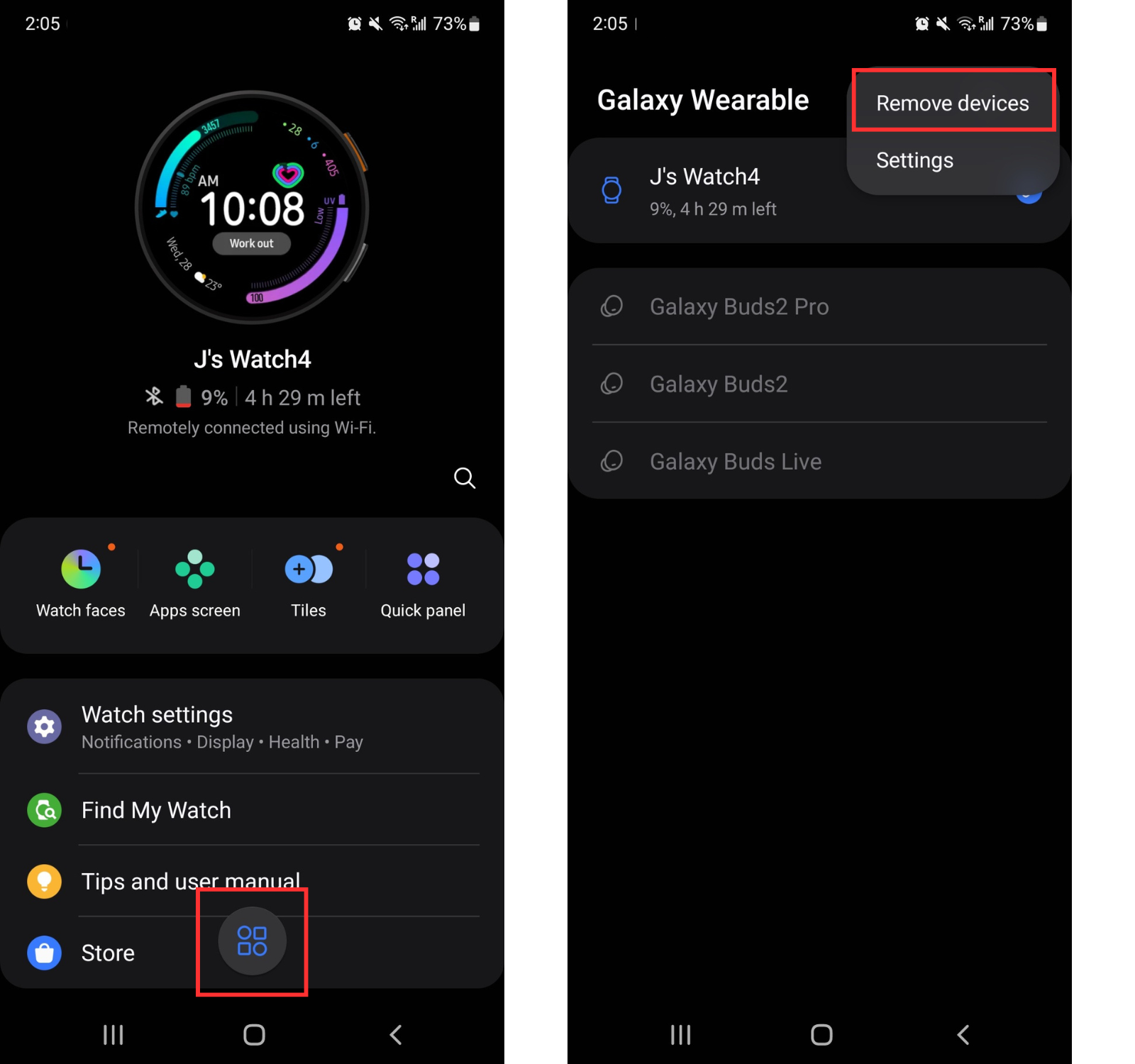
From the Galaxy Wearable (Wear) app on your Android phone:
Tap the icon near the bottom of the screen (two circles & two squares icon)
Tap the three dots . . . in the upper right corner
Tap remove devices
Select the watch you want to remove, then tap Remove to confirm
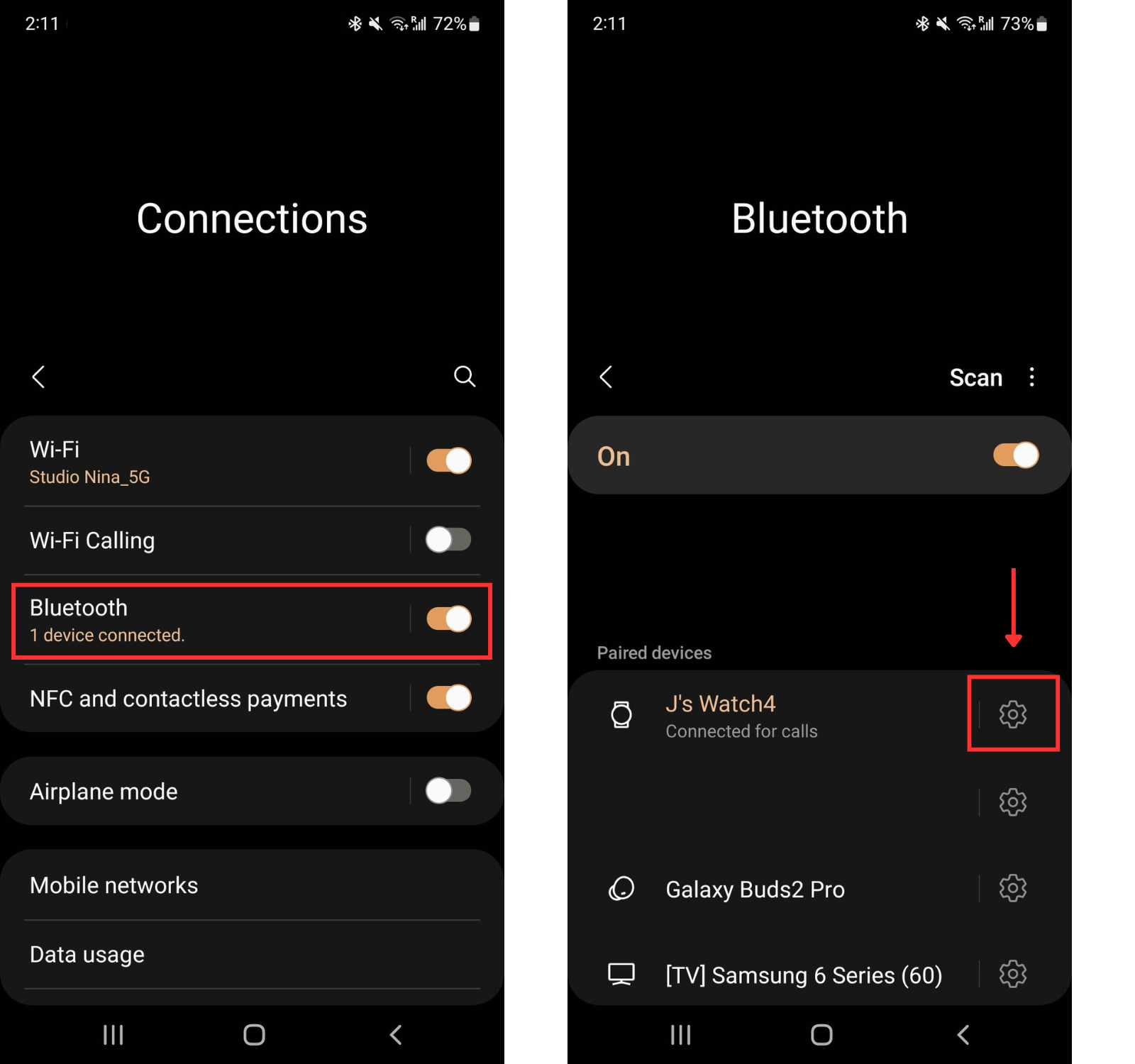
From Settings on your Android phone:
Tap Connections
Tap Bluetooth
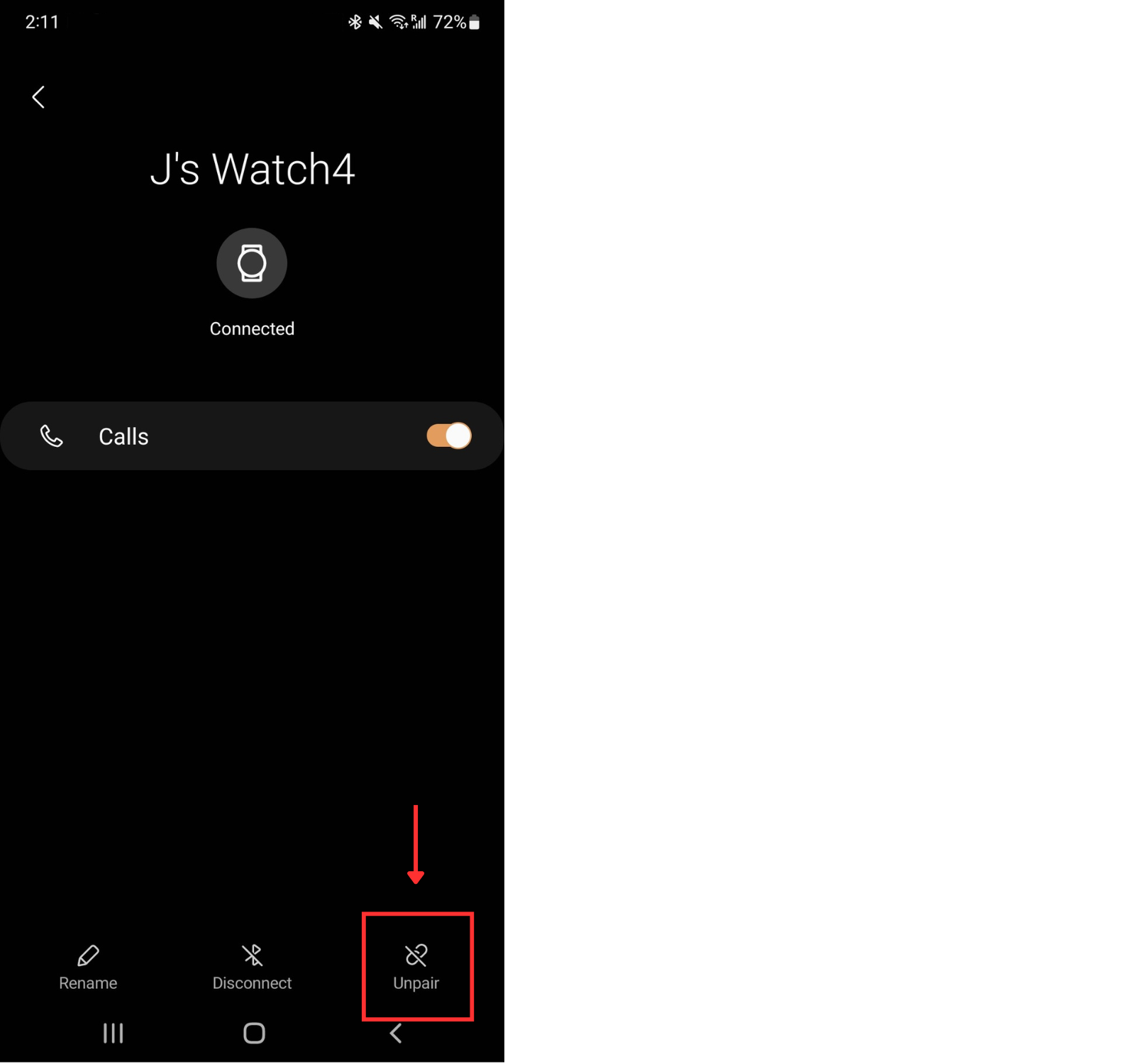
Tap the gear icon next to the watch you want to remove/unpair
Tap Unpair to confirm
Was this article helpful?
Sorry about that! Care to tell us more?