
Update Phone or Watch OS
Edited
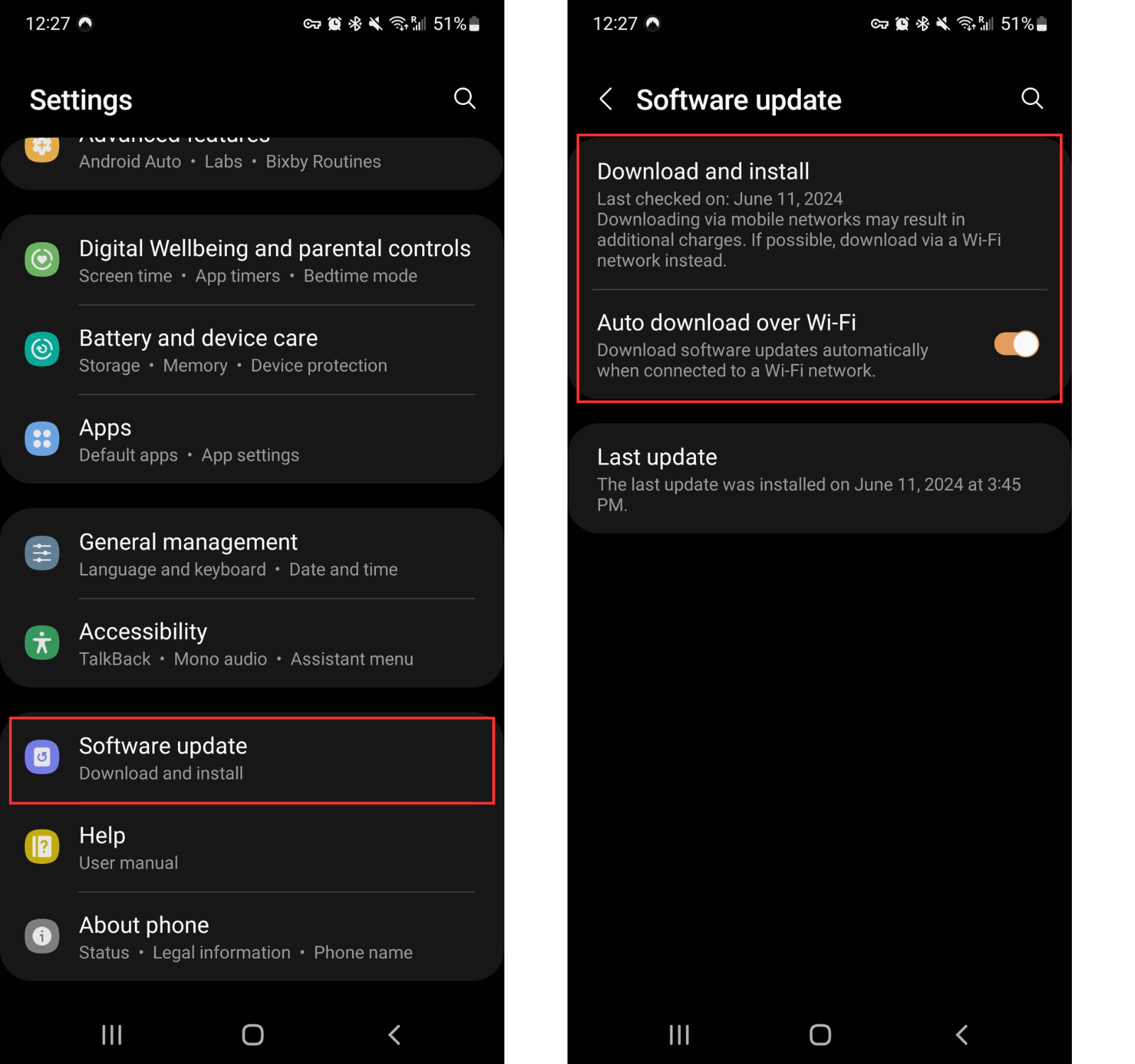
From your Android phone:
Open the Settings app
If you can't locate the Settings app, swipe down from the top of the screen to open Quick Settings and then select the gear icon to open Settings
You can also swipe down from anywhere on the screen to open the search bar, and then type in Settings
Tap System or Software update.
Tap Download and install to ensure you're on the latest version
Toggling on Auto download is recommended to ensure your phone's OS is always up to date
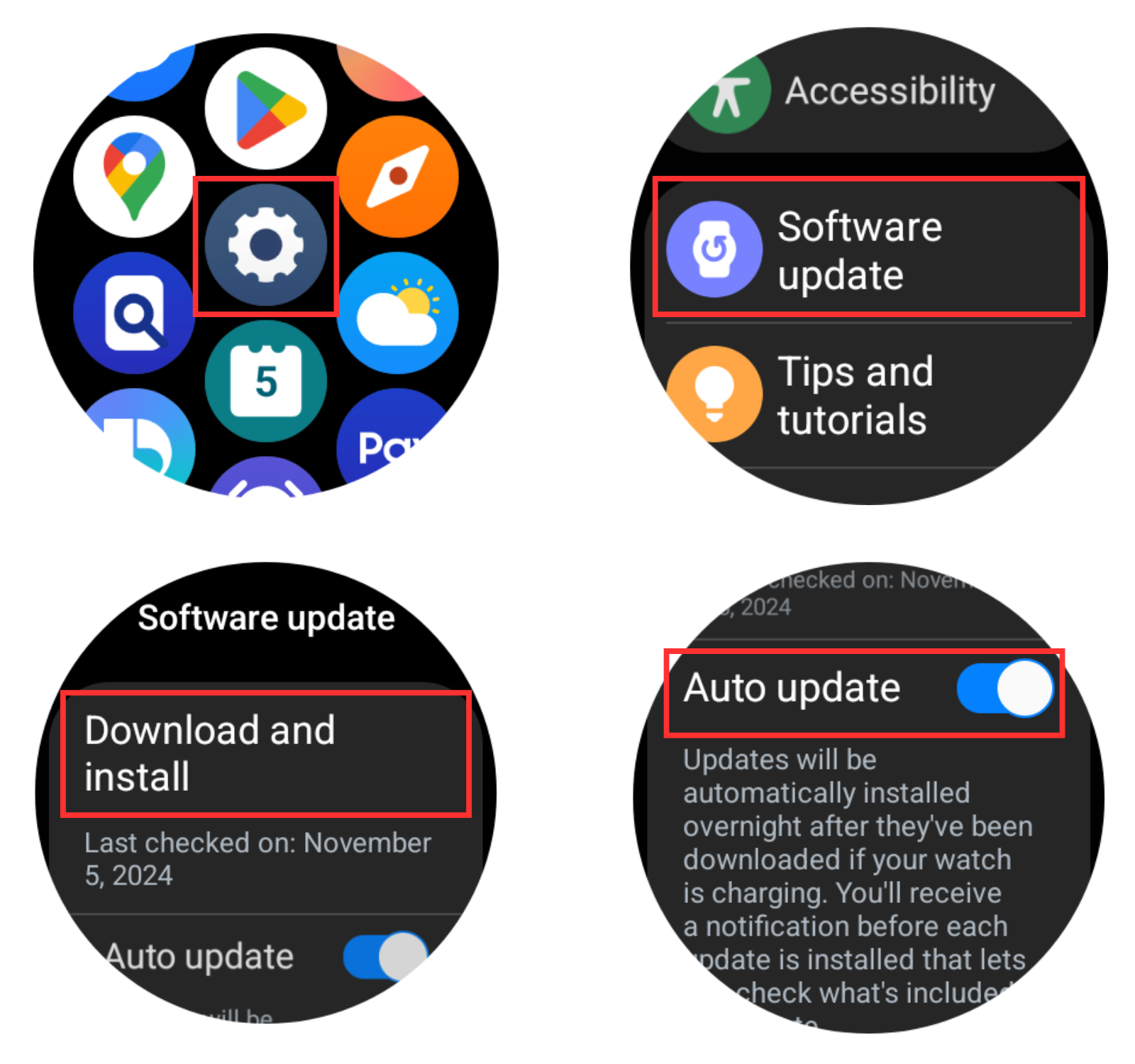
From your Android watch:
Swipe up on the watch face to open the apps list
Tap Settings (gear icon)
Tap Software Update
Tap Download and install
Toggling on Auto download is recommended to ensure your watch OS is always up to date
Was this article helpful?
Sorry about that! Care to tell us more?